Inspiring
October 22, 2025
Answered

DROP-DOWN LIST EXPORT ITEM STARTS WITH A "ZERO"

  • October 22, 2025
  • 1 reply
  • 90 views

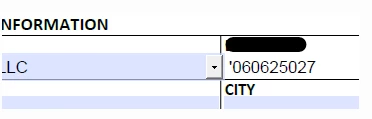
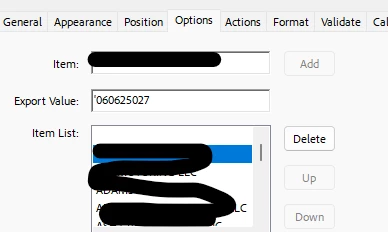
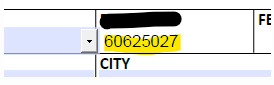
I'm working with 9-digit license numbers and sometimes they start with a zero. The export value appears in another spot in my PDF and it's appearing without the zero. I tried the "Excel fix" and put an apostrophe in front of the code, but now my paperwork is being rejected. I also tried to put a space or two in front of the number. Any fix to this?


with the apostrophe in front:
______________________________________________

nothing in front of the number:
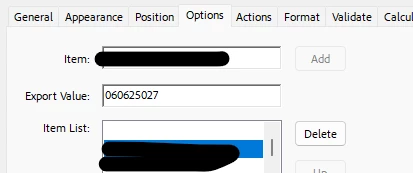
how it appears
 

Thanks!!

Correct answer PDF Automation Station
var Buyer =this.getField("BuyerInfo").valueAsString;
event.value=Buyer;

1 reply

PDF Automation Station
Community Expert
Community Expert
October 22, 2025

When you call the value of the dropdown use valueAsString instead of value and it should display the leading zero, as long as you don't format the text field as a number.

Inspiring
October 23, 2025

Can you elaborate a bit more on your response?


I have this in the customer calculation script:

var Buyer =this.getField("BuyerInfo").value;
event.value=Buyer;

PDF Automation Station
Community Expert
Community Expert
October 23, 2025
var Buyer =this.getField("BuyerInfo").valueAsString;
event.value=Buyer;