
Question
Duplex print- back of 1st page blank sometimes
When I am printing an odd number of pages, the back of the first page is blank. The remaining pages are double-sided. When I am printing an even number of pages, it prints correctly.
Here is the background info:
I am using an HP office jet pro. In order to get to the 2-sided print option, I open the printer dialogue box. I then select 2-sided, along with long edge binding and reverse page orientation. Image attached. (I don' t need to select reverse page orientation for Adobe, but I do for other applications, so I have it as a default. They print the same in Adobe.) I have also confirmed that it happens with short edge binding.
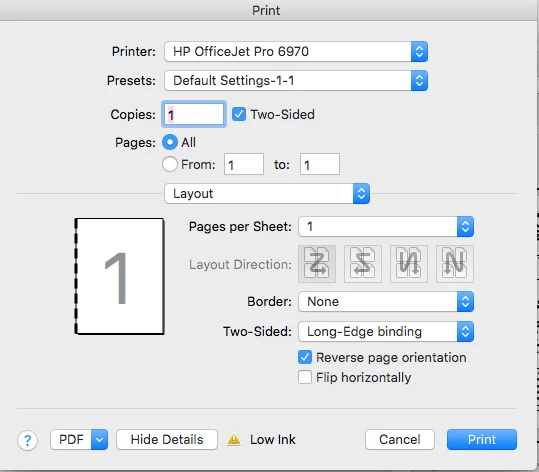
My workaround has been to print the last odd page separately from the others. Please help streamline this process.
 AdChoices