Answered
Dynamic Dropdown Options Not Showing Until Clicked - Acrobat Pro DC
On my PDF form, I am using the selection of one dropdown menu to change the options on a second dropdown menu. I have used the following code in the custom validation of the first dropdown:
switch (event.value) {
    case "---":
        this.getField("Radio Type Models").setItems(["---"]);
        break;
    case "Neptune":
        this.getField("Radio Type Models").setItems(["---","R900 ver3","R900 ver4","R900 ver5"]);
        break;
    case "ITron":
        this.getField("Radio Type Models").setItems(["---","40w","50w","60w","100w"]);
        break;
}
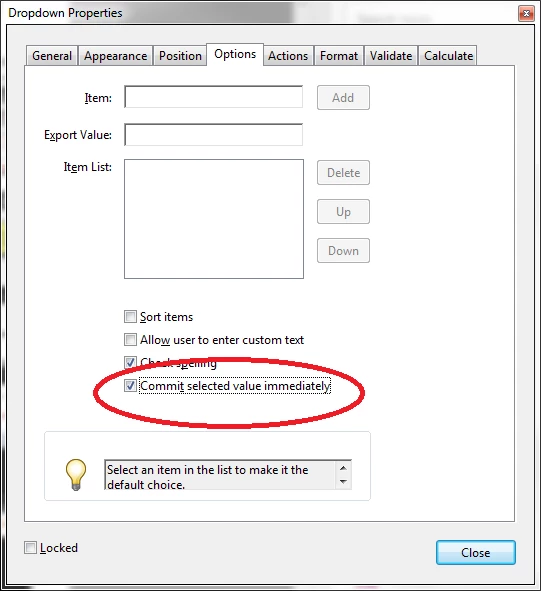
This works fine, except that the change in the second dropdown menu is not visual until clicked on.
For example, if I select "Neptune" from the first dropdown, I can then select "R900 ver5" from the second. However, if I then change the first dropdown to "ITron", "R900 ver5" stays as the selected option in the second dropdown instead of being replaced with the new list. It is not until I click on the second dropdown again that I can see my new list of options. Is this the way it should be working?
 AdChoices