FlashLaw
Participant
November 8, 2022
Answered

e-Signature: Signature Image Date/Time?

  • November 8, 2022
  • 1 reply
  • 1010 views

When a party signs using the Adobe font option, the name and date/time stamp is included beneath the signature.
If the party uses a signature image, the date/time stamp is omitted.
Is there a configuration option, that allows the name and date/time stamp to be included beneath the Signature image as well?

This topic has been closed for replies.
Correct answer ls_rbls

The digital signature fields allows to include such option but not beneath the image. 


At signing time, just select a digital certificate from the list or "Configure New Digital ID".


Click on "Continue".


In the next dialogue window you choose from the "Appearance" your image certificate, and click on the button to the right "Create".


The next dialogue window "Customize the Signature Appearance" provides the option to sign with text, draw a signature, browse and upload an image as a signature or None.


If you notice below the signature preview box  the section below "Include Text" provides 8 tick boxes with additional attributes to include with the signature.


In your case, just tick the boxes for "Name" and "Date". Then click "Save" and in the next screen click "Sign".


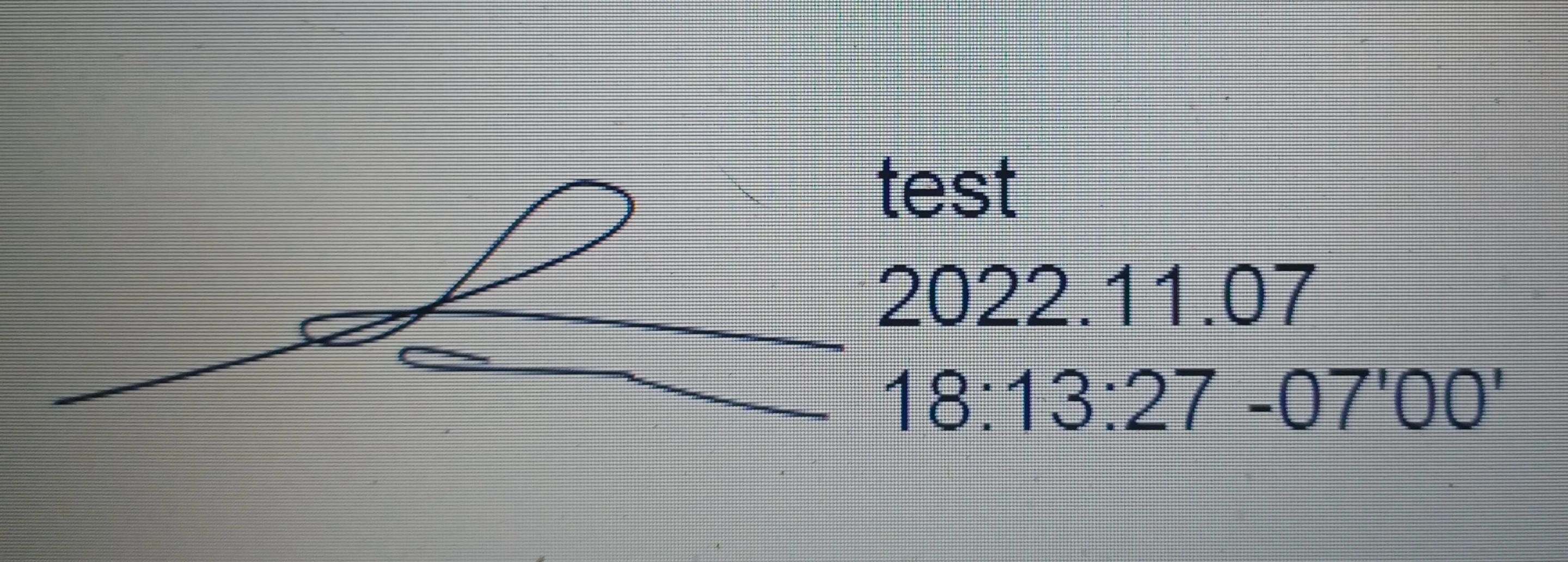
In my example below is a screenshot; I draw a signature at signing time and applied Name and Date as described above.


See example screenshot below:


1 reply

ls_rbls
Community Expert
ls_rblsCommunity ExpertCorrect answer
Community Expert
November 8, 2022

The digital signature fields allows to include such option but not beneath the image. 


At signing time, just select a digital certificate from the list or "Configure New Digital ID".


Click on "Continue".


In the next dialogue window you choose from the "Appearance" your image certificate, and click on the button to the right "Create".


The next dialogue window "Customize the Signature Appearance" provides the option to sign with text, draw a signature, browse and upload an image as a signature or None.


If you notice below the signature preview box  the section below "Include Text" provides 8 tick boxes with additional attributes to include with the signature.


In your case, just tick the boxes for "Name" and "Date". Then click "Save" and in the next screen click "Sign".


In my example below is a screenshot; I draw a signature at signing time and applied Name and Date as described above.


See example screenshot below: