
Participant
August 28, 2024
Question

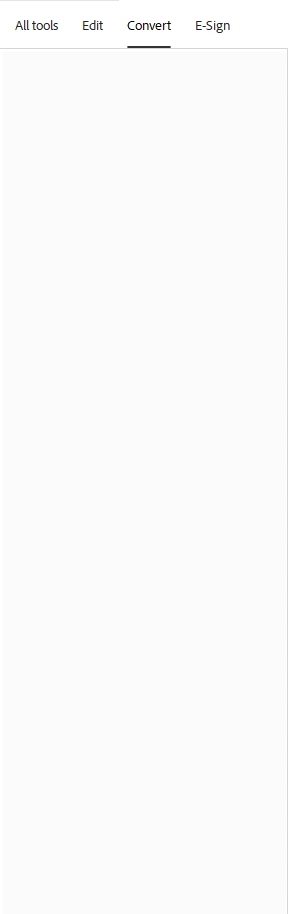
Edit, Convert, and E-sign tabs show no options

  • August 28, 2024
  • 2 replies
  • 428 views

The edit, Convert, and E-Sign tabs are completely blank when I toggle to them. There are no options to select. I've had to disable New Adobe. This is affecting my entire team. We've all tried reinstalling adobe as well as restarting computers. Has anyone else experienced this? How did you resolve?
 

2 replies

Participant
June 28, 2025

I just started having this issue as well. I tried uninstalling the app and reinstalling. Not sure what to do. Have you been able to resolve it?

Meenakshi Negi
Community Manager
Community Manager
July 25, 2025

Hi gilogogo,


Thank you for reaching out, and sorry about the trouble caused.


If you are still experiencing the issue, ensure you are updated to the latest version. In Acrobat, go to Menu > Help > Check for updates.

Please try reinstalling the application using the following steps:
-Remove the application and run the cleaner tool (https://adobe.ly/4o7RApC).
-Reboot the machine
-Install Adobe Acrobat from the following page: https://adobe.ly/40Az5A0.


Let us know if the issue still occurs.


Thanks,

Meenakshi

Community Manager
October 11, 2024

Hi @LeslieKMartinez


Sorry for the delayed response and the troubled experience. 

I see you already have disabled Modern Acrobat. I have seen a few such reports where certain dialogs and tools are blank from users in the community. Sadly, the issue isn't reproducible in-house, and we would like your assistance if you are still experiencing this issue. 

Please let us know if that is possible.


~Tariq