Known Participant
March 4, 2021
Question

Editing existing Text Box/Text Field

  • March 4, 2021
  • 3 replies
  • 19310 views

Adobe Acrobat DC Pro, downloaded a few weeks ago, previously AcrobatX.

I have thousands of PDF files on server, and on probably half of them I added a Text Box (at least  I thought it was Text Box?) to use like a label.
It seems that now to do the same thing I need to create a Text Field?
Sometimes I need to go into the existing PDF's and make corrections or updates, but am struggling to find a way to do so.

Using Prepare Form I can edit the ones I have created since DC Pro, but cannot edit existing Text Box's.
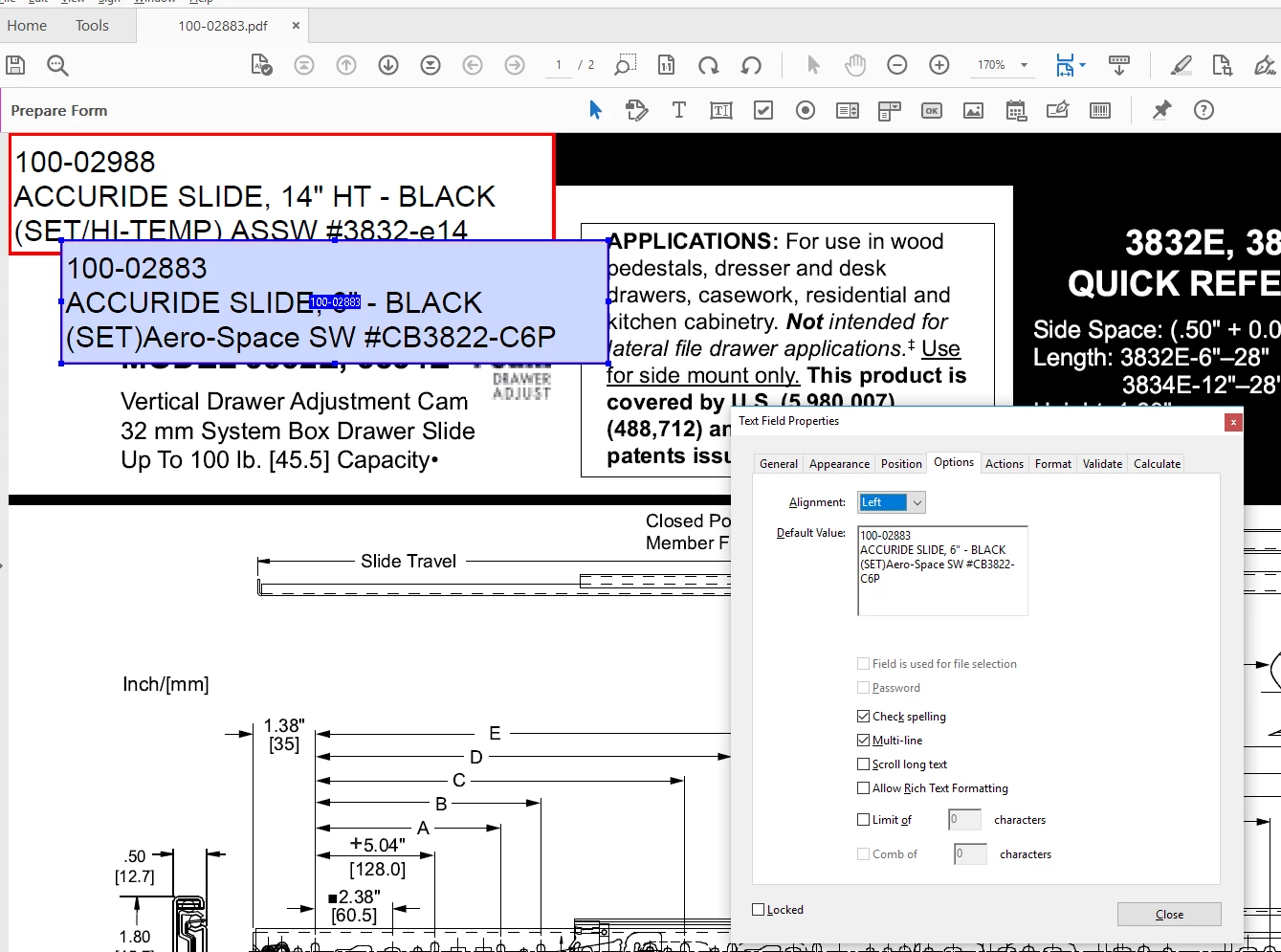
In the screen shot there is an existing Text Box (red border) that I can't find a way to open for editing.
I have created a new Text Field that I can move over the existing Text Box, but I should be able to edit the existing Text Box???
Any help on how to do this is appreciated.


3 replies

Kevin5CA8Author
Known Participant
March 5, 2021

This is odd... I tried a few others that I know to be older PDF's and it seems to be working as expected?
But on others (randomly?) I can't find a way to select the Text Box.

Way back when, maybe Acrobat8, I used to lock the Text Box (field?) to keep people from accidently changing the label.
Then something changed, maybe going to AcrobatX, and the Text Box's started to show up as blue-gray/fillable, so I changed to always selecting read only.
Maybe the unselectable ones are ones that were locked years ago?

Either way, thanks for taking your time to look at this!


Bernd Alheit
Community Expert
Community Expert
March 4, 2021

May be that the comment text box is locked. 

Inspiring
March 4, 2021

I checked my pdf. Only locking the frame prevents it from being edited. When blocking is disabled, editing is fully available.

try67
Community Expert
Community Expert
March 4, 2021

A text box can be edited using the Add Text Box tool under the Comments panel, and filled in in normal viewing mode.

A text field can be edited in Prepare Form mode, and also filled in in normal viewing mode.

Static text can be edited (both text and properties) using the Edit Text & Images tool.


I would recommend sticking to text fields from now on.

Kevin5CA8Author
Known Participant
March 4, 2021

When I try to add, it only lets me add, I am not finding a way to select the existing Text Box?