


Participant
October 22, 2025
Question

Effizient digital signieren - Abschaltung von Dialogfeldern und Abfragen möglich?

  • October 22, 2025
  • 1 reply
  • 56 views

Hallo zusammen, ich muss recht häufig in Adobe Acrobat 2024 (Classic) mit digitaler ID PDF-Dateien signieren und ärgere mich über die Fülle der unnötigen Dialogfelder, die durch immer die gleichen Klick-Aktionen meine Zeit stehlen.


1. Ich habe nur 1 digitale ID konfiguriert und diese als Standard gesetzt. Kann ich die Anzeige der Dialogfelder zur Auswahl und Gestaltung der digitalen ID deaktivieren, d.h. die Standardwerte einfach ohne ständige Abfrage verwenden? (Nutzerunfreundlicherweise kann man nicht mal auf Enter drücken, man muss die Maus zum Klicken auf den Knopf benutzen)
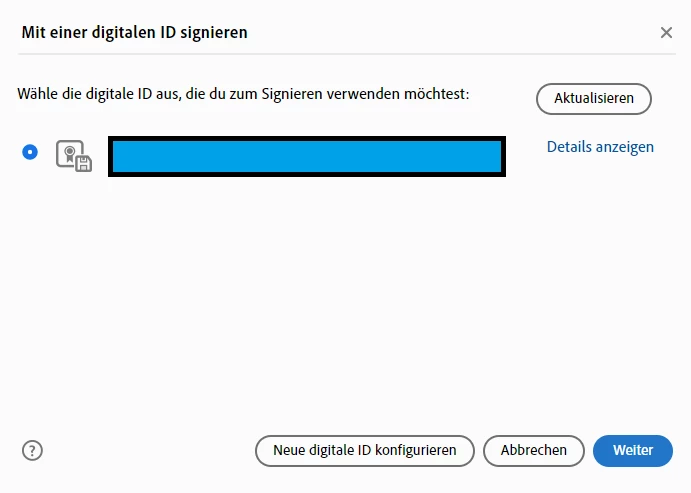
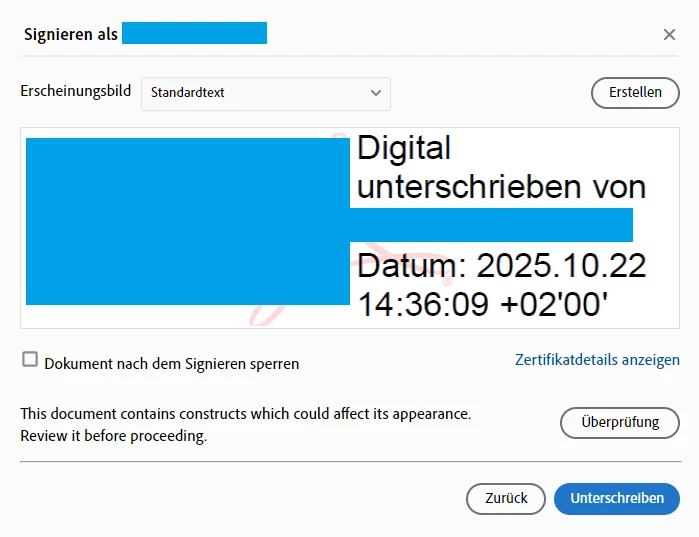
 

2. Nach der Auswahl der Signatur fragt ein dritter "Speichern unter" Dialog immer ab, ob man die Datei wirklich überschreiben möchte. Ja, das möchte ich immer und nicht jedes Mal danach gefragt werden. Gibt es eine Option, dass beim Signieren einfach die vorhandene Datei genutzt und überschrieben wird, ohne jedes Mal nachzufragen?
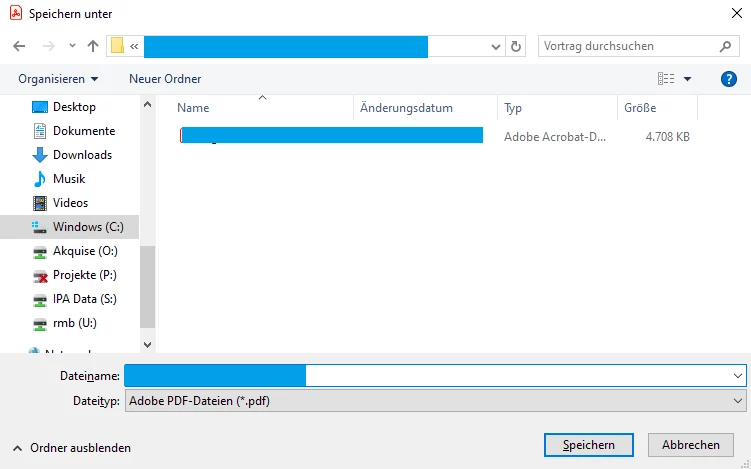
 

Falls dies alles technisch nicht gehen sollte, würde mich interessieren, wie man größere Dokumentenmengen effizient mit einer digitalen Signatur im Adobe (Acrobat) Universum unterschreiben kann. Auch gerne durch eine Prozessautomatisierung o.ä.


Mir würde auch schon helfen, wenn ich für mehrere Dokumente eine digitale Signatur an der gleichen Position in allen Dokumenten in einem Durchgang setzen kann.


Vielen Dank für eure Hilfe!

1 reply

Legend
October 22, 2025

Hi @rib8192 


Thank you for sharing your thoughts on streamlining the signing process. It’s clear you want a smooth experience for everyone involved, which is a great goal.

When working with certified PDFs, Acrobat applies certain safeguards to maintain document integrity. These safeguards include limiting changes after certification, which is why actions like adding new signature fields or bypassing confirmation steps aren’t typically available. This approach helps ensure the document remains trustworthy for all parties.


If flexibility for multiple signers is important, one practical way forward is to prepare the necessary signature fields before certification or consider using standard digital signatures instead of certification. Both options allow you to keep the signing process efficient while still maintaining security.


One option to streamline this process is to create an Acrobat Action that incorporates a JavaScript step. Actions allow you to automate tasks across documents, so you could include a script that:

  • Validates required fields.
  • Highlights empty fields by changing their background colour.
  • Displays an alert listing missing fields.

This approach helps reduce manual steps and keeps the workflow efficient.

Disclaimer: Adobe does not provide official support for custom scripting or Action development. Any scripts you create are implemented at your own discretion, and it’s recommended to test thoroughly before deploying in production.


Best regards,
Tariq | Adobe Community Team

rib8192Author
Participant
October 22, 2025

Thank you, Tariq, for your swift response. Standard digital signatures is indeed my current workaround, just using a picture of my signature. This process is faster.


The hint with signature fields is good as well. As I am often signing excel exported files, is there a way of defining a signature field in excel which exports adequately into the PDF as a proper signature field?


Last but not least, if dialogues cannot be bypassed, it would be nice for UX if at least pressing a key is possible for confirming (the first 2 dialogues do not respond to pressing Enter key). Likewise, asking for overwriting a file is nothing I would consider a safeguard or the like. I guess most people want to overwrite the file by default. Maybe such feedback can be considered in updates. It is just a few lines of code.