LedDucatiZeppelin
Participant
April 27, 2017
Question

Eliminating the Bookmark warning pane when changing bookmark destinations

  • April 27, 2017
  • 1 reply
  • 453 views

When changing a Bookmark destination, is there a way to turn off the following Adobe warning pane:
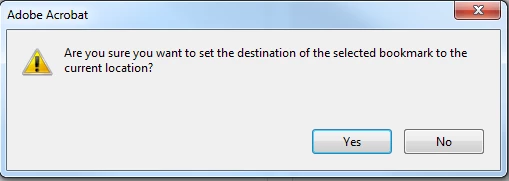
?

If I have 20 bookmarks to update, This warning/question pane pops up every time--its annoying  and time-consuming.

This topic has been closed for replies.

1 reply

Bernd Alheit
Community Expert
Community Expert
April 27, 2017

You can delete the bookmark and add a new bookmark.

LedDucatiZeppelin
Participant
April 27, 2017

Bernd Alheit,  thank you for responding,  I already have the bookmarks in the file--like rolling over from one year to the next.  So basically I go down the new pages and change the destination--the pages can be in different order so I can't just use "Replace" the pages which would change the pages and keep the bookmarks.  Its easier to just delete the prior year pages, keep the bookmarks (references and various names) and update the destination--so when I go down the file and update the bookmarks I get the   pane every time I change a destination.  I want to be able to change the destination each time without having to wait for this to pop up, click it and continue on my way--after about 30 times it gets annoying.  deleting the bookmark and creating a new one would be even more time consuming  Thanks.