Ronen David
Participating Frequently
July 27, 2023
Question

eror message when i work on the tags section

  • July 27, 2023
  • 2 replies
  • 875 views

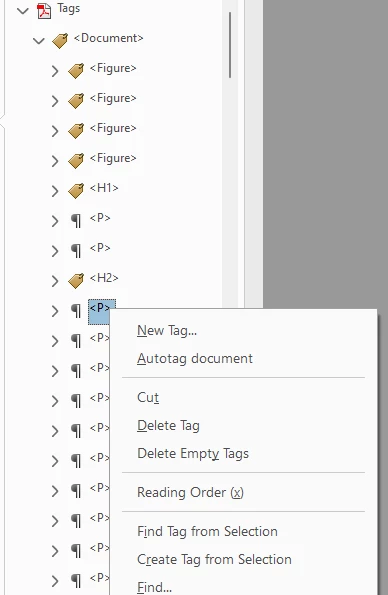
I get this message when i'm creating or moving tags:
 

how i can fix it?

i re-install acrobat but it not solve the problem

This topic has been closed for replies.

2 replies

Participant
July 28, 2023
quote

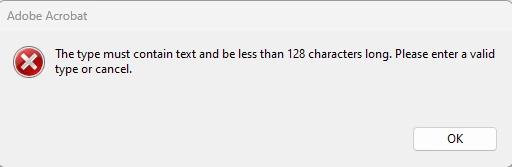
I get this message when i'm creating or moving tags:
 

how i can fix it?

i re-install acrobat but it not solve the problem


By @Ronen David

I had this problem too (Mac) and the error dialogs would cascade... sometimes dozens needed to be closed by clicking the "OK" dialog button (only possible action) for each one. GRRRR! 

I found a solution that works for me... close the "Object Properties" window after each time editing your Tag/s. Also, remember that Tag type labels can be changed via cut and paste. I have a text editor open with the Tag types (ex: <LBody>) that I am using so I can paste them in to the Tag types in the structure tree instead of opening and closing the "Object Properties" window each time. 

Ronen David
Participating Frequently
July 30, 2023

Ty Austin, i will try that

Meenakshi_Negi
Legend
July 27, 2023

Hi Ronen David,


Thank you for reaching out.


Please confirm if the issue occurs with a particular PDF. Or it happens with other PDFs too?

Would you mind sharing the PDF with us? Did you make any recent changes after which it started?

Share the Acrobat and OS version numbers.

In the meantime, refer to the following help document: https://helpx.adobe.com/acrobat/using/create-verify-pdf-accessibility.html. Check if that helps.


Thanks,

Meenakshi

Ronen David
Participating Frequently
July 27, 2023

Hi Meenakshi,

it's upend in all PDF file i work

there was no changes i made to the acrobat or in the computer.

OS: windows 11