This topic has been closed for replies.
Correct answer Vinod Dobhal

Hi All,


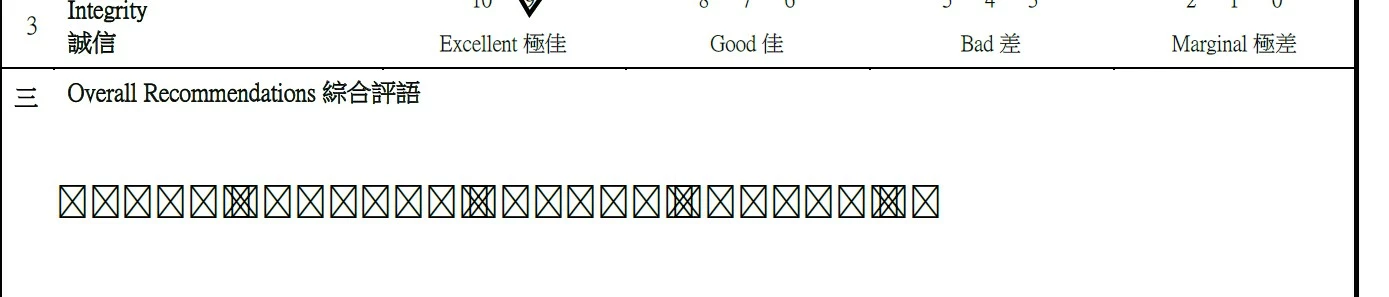
The font corruption issue has been fixed in the latest update of Adobe Acrobat 23.003.20284.2636a55. Please try updating the application to the latest version.


Thanks,

Vinod

2 replies

Vinod DobhalCorrect answer
Adobe Employee
August 24, 2023

Hi All,


The font corruption issue has been fixed in the latest update of Adobe Acrobat 23.003.20284.2636a55. Please try updating the application to the latest version.


Thanks,

Vinod

Participant
August 25, 2023

thanks you so much! problems was solved

Amal.
Legend
August 11, 2023

Hi @付東31469345naep 


Hope you are doing well and thanks for reaching out.


Is this an issue with a particular PDF file or with all the PDFs? Please try with a different PDF file and check. If the file is stored on a shared network/drive please download it to your computer locally and then try again.

It seems like the font is not properly embedded into the PDF file or not present on your computer or you may not have the permission to use the font. Please go to Edit (Win), Adobe Acrobat (Mac) > Preferences > Page Display > Under Rendering  select '' Use local fonts" > Click OK and reboot the application.


~Amal

Participant
August 12, 2023

Thanks for reply! All our computers, when updating to the latest version 2300320269 have this problem when fill in all files. Older versions work fine