Participant
May 22, 2018
Question

Error during scan

  • May 22, 2018
  • 1 reply
  • 2605 views

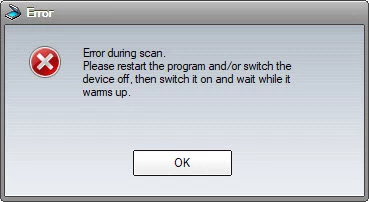
With the recent Microsoft security update on my Windows 10 computer, Acrobat Pro DC is unable to scan documents on my Xerox WorkCentre 3215 printer.  It seems like Microsoft security patches updates may be the culprit.  I can print PDF documents but when I create PDF document from the scanner, I am getting the error below.  I have an older Acrobat Pro X installed on another computer also giving me the same error when I create PDF from the scanner.  Any suggestion?
Thanks,

Brian.

This topic has been closed for replies.

1 reply

mornev41555183
Participant
May 24, 2018

Hi Brian

I have the same problem. Have you been able to fix it?

Participant
May 24, 2018

Nope, Adobe technical support team stated their software is looking for Twain driver but it is not available from the printer manufacture.  Printer manufacture stated the Twain driver is there in their driver package.  This problem happens recently when Microsoft released their recent patch updates to my computer.  You can try to use WIX driver but the quality of the scanned is pretty bad.  I am using Paint.exe from Windows to scan in the document which has better quality. 

gary_sc
Community Expert
Community Expert
May 27, 2018

While I'm on a Mac there is a similar issue: Windows and your scanner are pointing the finger at each other as to who's at fault. On the Mac, we are limited to using ONLY Apple's Image Capture for scanning from Acrobat. It's very very bad in many ways.

Because of this I do all of my document scanning directly with my flatbed scanner (it's a Epson v800). I scan into a folder on my desktop and after all my scanning is done I drag all of the files (for each document) onto Acrobat who then combines them all into one document, OCR's them, then I save them I save the file and I'm done.

A couple of extra comments: I scan each document as a TIF because that will have the best quality. If you can ONLY save the document as a JPEG, be sure to save it with the least compression. I also scan it with no less than 330 ppi, 600 is the other end. Either way, this will result in very large documents, from 20-30 MB per page. Don't worry, after converting to an OCR-ed document, each page will be about 130-150 kb per page. [The reason for this is that the initial scan will treat every item as a pixel even the white areas are white pixels. After the OCR-ing, the white areas will be transparent and the text will be vectors.]

One other thing, the following may help you get much higher quality/better looking scans:

Scanning Clean, Searchable PDFs