
Participant
December 27, 2023
Question

Error message adobe_licensing_wf_acro.exe

  • December 27, 2023
  • 1 reply
  • 6131 views

Hello, so I have a problem with my Acrobat installation on one of my computers. It used to run fine but for a couple of weeks now I get this error when I start Acrobat.
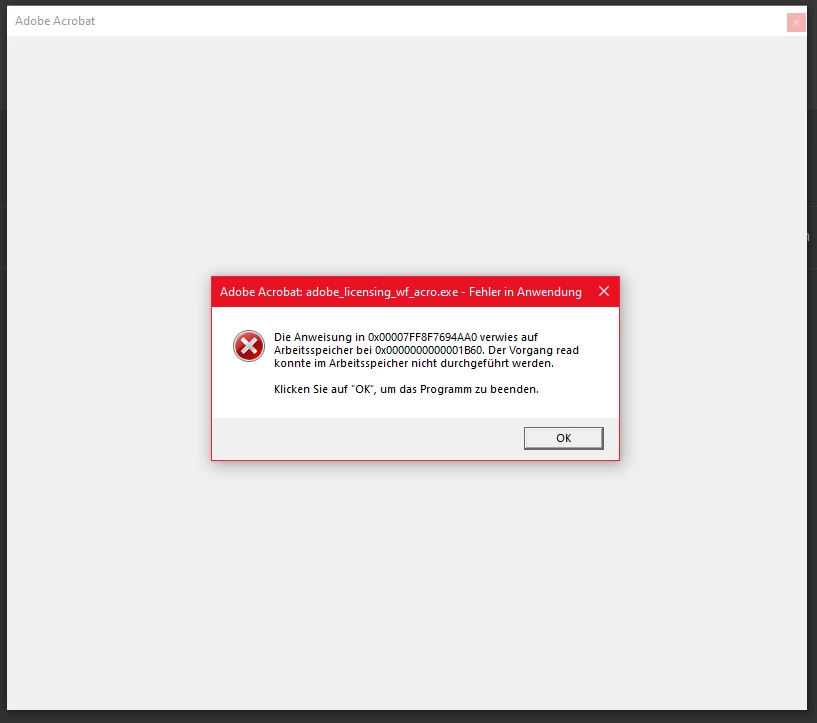
 

I already tried uninstalling, fresh installation via Creative Cloud or direct download, nothing works - now the interesting thing is, if I click OK on the error window, it closes Acrobat, but if I just put the window with the error to the side I can keep using Acrobat without any issues. Still sucks and would really like to use it again without having to do this workaround.

This topic has been closed for replies.

1 reply

Amal.
Community Manager
Community Manager
December 28, 2023

Hi @Nicolas voxelle 


Hope you are doping well and thanks for reaching out.


Please go through the correct answer marked in the similar discussion https://community.adobe.com/t5/acrobat-reader-discussions/acrobat-reader-application-error-quot-the-memory-could-not-be-read-quot/m-p/8835672#M20614 and see if that works for you.


Let us know how it goes.


~Amal

Participant
March 1, 2024

This did not work

Amal.
Community Manager
Community Manager
March 4, 2024

Hi there

Hope you are doing well and sorry to hear that

What is the version of the Acrobat DC you are using? To check the version go to Help > About Acrobat and make sure you have the recent version 23.08.20555 installed. Go to Help > Check for updates and reboot the computer once.


If it still doesn't work, please remove the application using the Acrobat cleaner tool https://www.adobe.com/devnet-docs/acrobatetk/tools/Labs/cleaner.html , reboot the computer and reinstall the application using the direct link https://helpx.adobe.com/acrobat/kb/acrobat-dc-downloads.html and see if that works.


~Amal