
Participant
October 4, 2024
Answered

Error message is not in the default language

  • October 4, 2024
  • 2 replies
  • 629 views

I have a fillable document written in Spanish. The reading language for the document is set to Spanish(Espanol). I have a dollar amount field set to allow 0-9 digits. When I test the fillable functions and intentionally overrun the field by entering 10 or more digits, I get the error message "You must enter between 0 and 9 digits" as expected, however that message is just as I type it here; in English. 
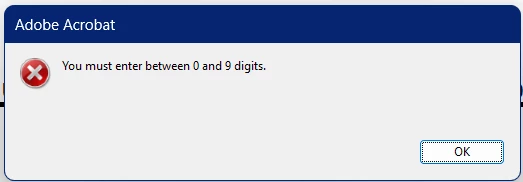
If I change my Acrobat Pro default language to Spanish, the error still displays in English, with only the "OK" button in Spanish:
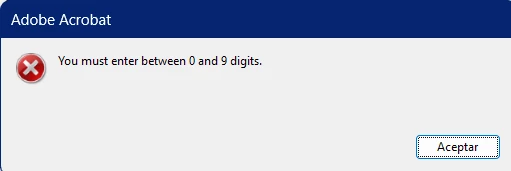
How can I get that error message to be readable by the audience it is intended for?


I am using Acrobat Pro. The original document is produced in InDesign.

Thanks!

This topic is closed to new replies. Start a new post to keep the conversation going.
Correct answer Karl Heinz Kremer

Is this a custom error message you created (or InDesign) in your form? Look for custom validation scripts. If that's the case, then the routine that puts up this message needs to have translated versions available and switch languages. 

2 replies

Karl Heinz  Kremer
Community Expert
Karl Heinz KremerCommunity ExpertCorrect answer
Community Expert
October 4, 2024

Is this a custom error message you created (or InDesign) in your form? Look for custom validation scripts. If that's the case, then the routine that puts up this message needs to have translated versions available and switch languages. 

Participant
October 4, 2024

That was it! Thank you!