

Participant
June 23, 2025
Question

Error message when opening Acrobat, which will not open
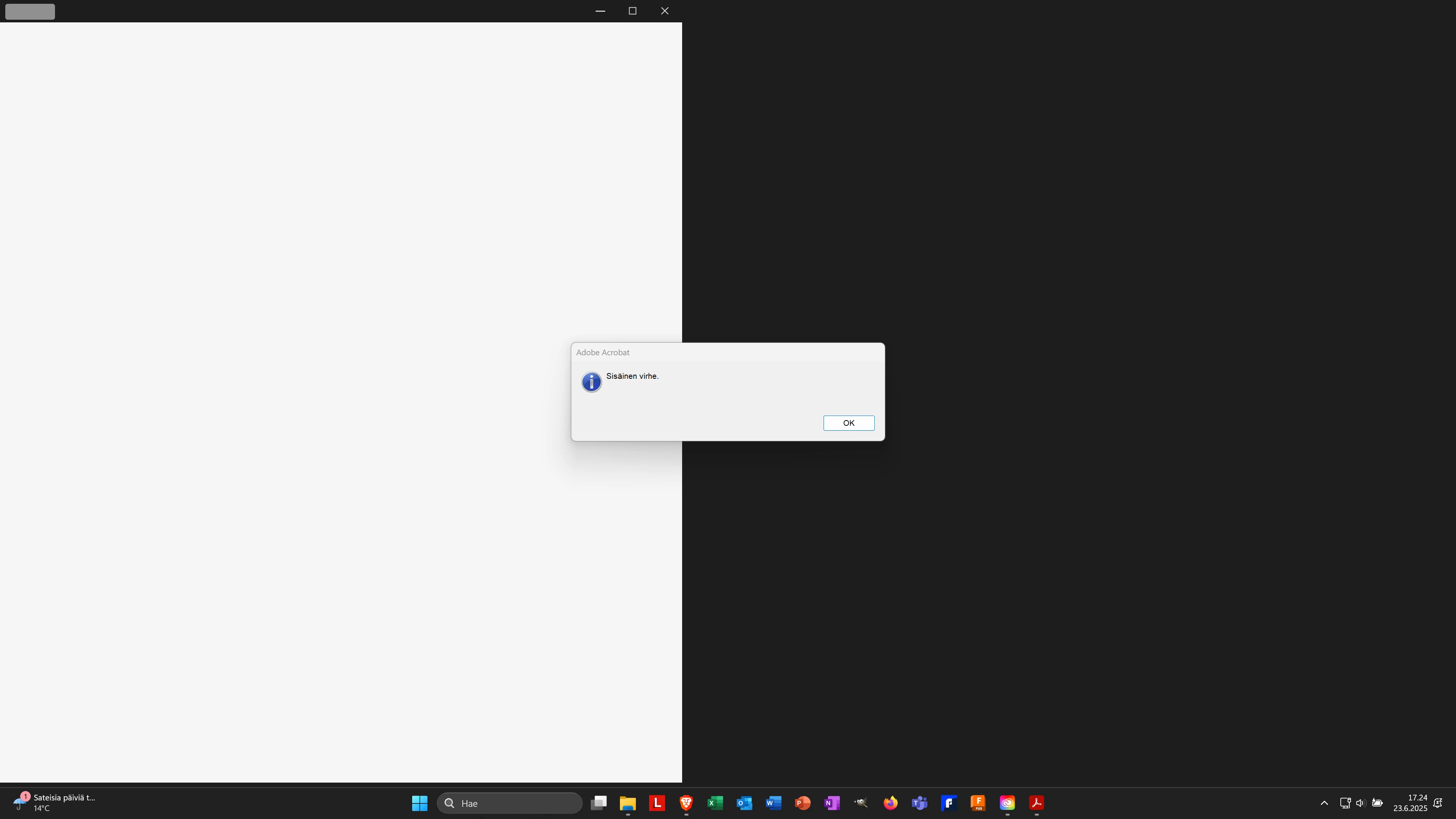
  • June 23, 2025
  • 1 reply
  • 502 views

Screen print... acrobat on left side .... re-loaded all couple times....

1 reply

Meenakshi_Negi
Legend
June 23, 2025

Hi jukka_2111,


Thank you for reaching out, and sorry about the trouble caused.


Please try reinstalling the application using the following steps:
-Remove the application and run the cleaner tool (https://adobe.ly/3T6Skx4).
-Reboot the machine
-Install Adobe Acrobat from the following page: https://adobe.ly/3HUY9uV;


If the issue still occurs, please confirm if the error appears on launch or when you use any feature or tool in Acrobat. Share the Acrobat and OS version numbers on the machine.


Let us know how it goes.


Thanks,

Meenakshi

Participant
June 24, 2025

Hi,


Thanks, but no results. Acrobat do not open otherwise than blank screen... and some other problems occured, start icon is not working.

Prolematic to find Acrobat number cause it is not opening, but os windows 11.


br

Souvik Sadhu
Community Manager
Community Manager
July 11, 2025

Hi @jukka_2111,


Hope you are doing well. Sorry for the experience with using Acrobat.


In case you are still looking for a solution, please review the correct answer in the given thread: https://adobe.ly/44GmNY9


The thread discusses a topic similar to yours, with an accepted correct answer from users like yourself.

Please give the thread a view and let us know how it goes.


Also, ensure that you are on the latest version of Acrobat (2025.001.20566) for the best experience.

You can learn more about it here: https://adobe.ly/461l8i9.


Hope this helps.


Regards,
Souvik.