
Question
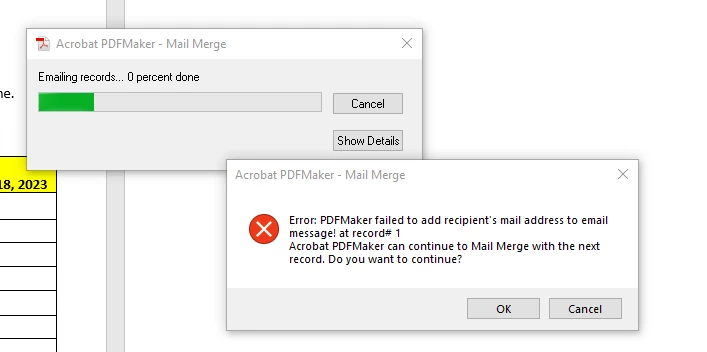
Error message when PDF Maker email recipient
What do you do when this does not work and receive this error?
- For Automatically Send Adobe PDF Files By Email, do one of the following:
- To create merged PDFs and attach each one to an email message to the appropriate recipient, select this check box, and fill in the other Email options.
- When the Browse For Folder dialog box appears, navigate to the location you want to use and click OK.
Status indicators appear as PDFMaker generates the individual PDFs,
- If you selected Automatically Send Adobe PDF Files By Email, a dialog box appears asking for your email profile. Enter the appropriate information and click OK.
When the job has finished, a message appears, telling you that the process was successful.
 AdChoices