Participant
Nov 8, 2019 5:32 PM UTC
Answered

Error when combining PNG files to Acrobat DC

Hello,


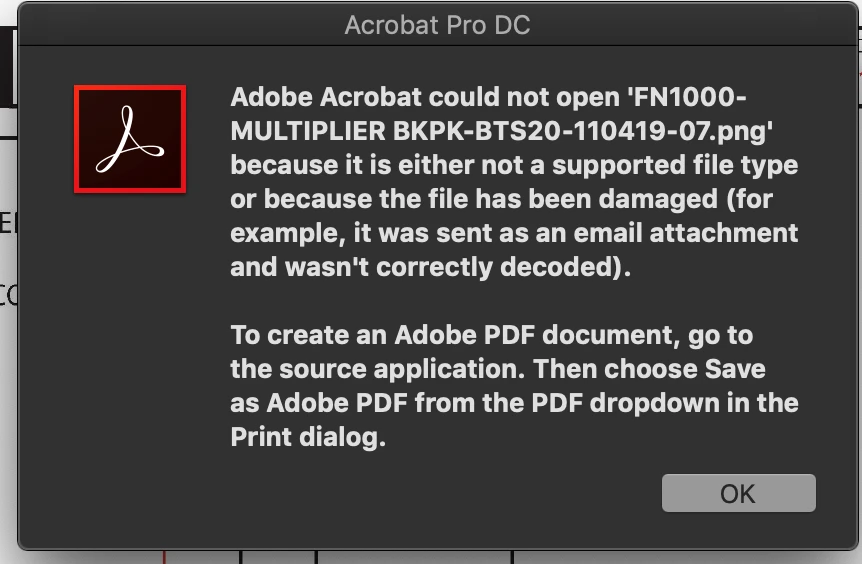
When my users drag multiple PNG files and drop them to Adobe Acrobat to merge all images into a single PDF file, it does not load all the files selected. It takes several tries before all files are imported. I have tried this on PNG files with short file names as well. This occurs on another machine as well that is used by the user.


Mac OS - Mojave 10.14.6


What I have tried so far:

Re-install Adobe Acrobat DC.


See below for error.
This topic is closed to new replies. Start a new post to keep the conversation going.
AnandSri
AnandSriCorrect answer
Legend
Nov 13, 2019 2:17 PM UTC

Hi Jblieden,


We're sorry for the trouble you had, Adobe Acrobat and Reader official update containing the fix for this issue is now available.


This update will be automatically pushed to all existing installations of Acrobat and Reader. If you want, you may also manually trigger the update by opening the application and going to Help > Check for Updates.

More information about this release is here: Release notes


Please let us know if you experience any issues.


Regards,

Anand Sri.

5 replies

Participant
Jun 30, 2023 11:04 AM UTC

I have the same issue/error for 4 years already-June 2023. 

When attempting to combine the PNG files in Acrobat, I have noticed that the program does not seem to recognize this image format correctly. While Acrobat is known for its ability to work with a wide range of file formats, it appears that support for combining PNG files is either absent or limited in this specific feature.

Translate
Meenakshi_Negi
Legend
Jun 30, 2023 1:18 PM UTC

Hi Rolando308099073ezw,


Thank you for reaching out, and sorry about the trouble.


Please confirm if the issue occurs only when combining the PNG files.  Are these files saved locally on the machine? 

Try combining other image format files. Check if you get any errors.

Share the Acrobat and OS versions currently installed on the machine. It would be helpful if you could share the screen recording of what happened when combining the PNG format files.  The information will help us to investigate this issue further. 

Also, check if you can combine the PNG format file to PDF on the Acrobat Online account (https://acrobat.adobe.com/).


Let us know how it goes.


Thanks,

Meenakshi

Translate
AnandSri
AnandSriCorrect answer
Legend
Nov 13, 2019 2:17 PM UTC

Hi Jblieden,


We're sorry for the trouble you had, Adobe Acrobat and Reader official update containing the fix for this issue is now available.


This update will be automatically pushed to all existing installations of Acrobat and Reader. If you want, you may also manually trigger the update by opening the application and going to Help > Check for Updates.

More information about this release is here: Release notes


Please let us know if you experience any issues.


Regards,

Anand Sri.

Translate
Participant
Apr 29, 2023 7:50 AM UTC

Hi Adobe Team,


I seem to experience the same issue when I combined multiple png files. I think this issue still persist to date. Please see attached captured image for your reference.
Thanks!

Translate
Meenakshi_Negi
Legend
May 1, 2023 1:22 PM UTC

Hi Natsirc,


Thank you for reaching out.


Please let us know if the issue occurs only with the PNG files.

Did you check if you can combine other format files without any issues?

Share the Acrobat and OS version numbers.


In the meantime, check if you can combine the files on Acrobat online account. 

Let us know how it goes.


Thanks,

Meenakshi

Translate