
Error When Trying to Redact: The encoding (CMap) specified by a font is missing
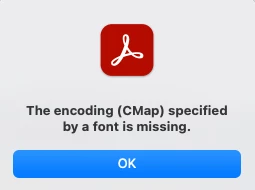
A few days ago I began experiencing an error when attempting to redact documents, something I've been doing for many years with Acrobat without problems. I received the following CMap error:
When I check Document Properties->Fonts everything seems to be in order. All fonts are embedded.
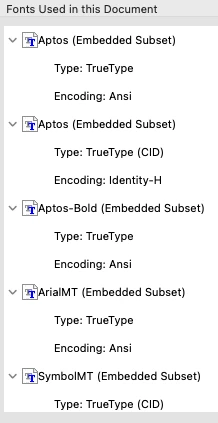
I have been redacting these lab reports from the same labs for many years with no problems. Now, even when I try to redact ANY document I get the same error. For example, if I convert a Word file to PDF and try to redact it just to test out redaction, I get the same error. I checked Preflight and confirmed all fonts are embedded.
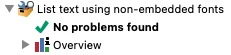
I checked for "font problems" using Preflight found the following issues.
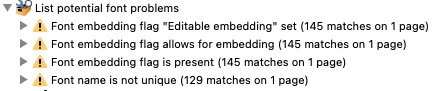
However, even after "fixing" the problems using Preflight, I am still unable to redact and receive the same CMap error. I have uninstalled Acrobat and reinstalled, ensuring it is updated and still receive the error when redacting. I even wiped by mac's hard drive, reinstalled macOS, and reinstalled Acrobat but continue to receive the same Cmap error when redacting.
Has anyone else experienced this? Any suggestions?
Thanks!


 AdChoices