


EUTL auto sync doesn't run
Adobe updates the list of EUTL certificates regularly, but Adobe Acrobat does not sync with that list automatically.
You need to force sync manually for the Adobe Acrobat EUTL list to update.
It's a bug that Adobe must solve, since theoretically it should automatically synchronize if more than 14 days have passed since the last synchronization, but it is something it doesn't do.
Tested on multiple computers, it only syncs manually, never automatically.
If you do not update, checking for signatures issued with that certificate fails with a validation error.
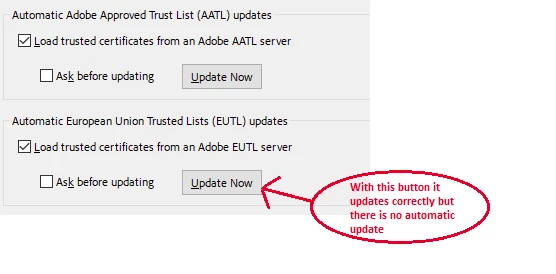
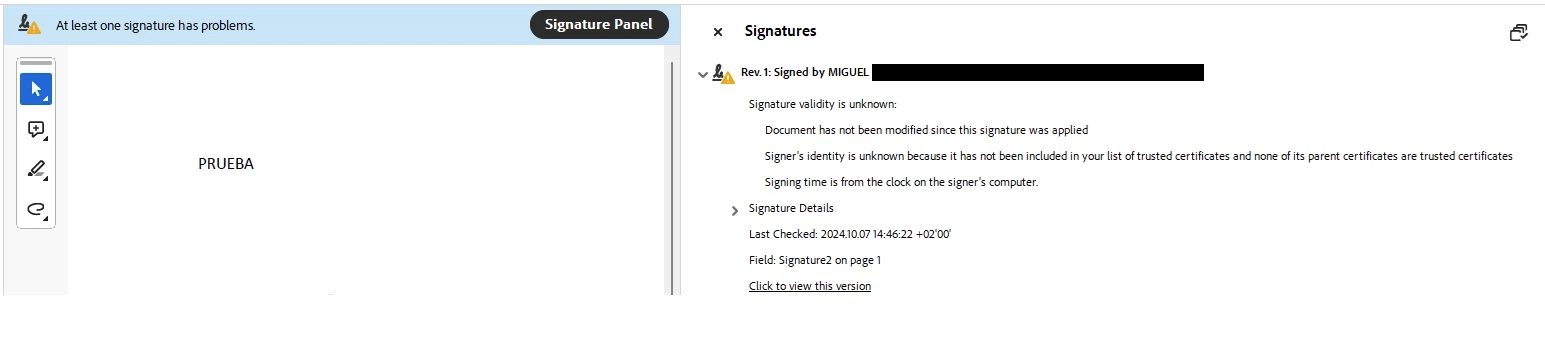
And certificate is on EUTL since July, 24 (this year 2024), but internal EUTL list in Adobe Reader never update, unless we update EUTL manually or install Adobe Acrobat again (in the new installation it seems to perform a synchronization)
Thanks
 AdChoices