Question
Excel Add-in not printing ActiveX components
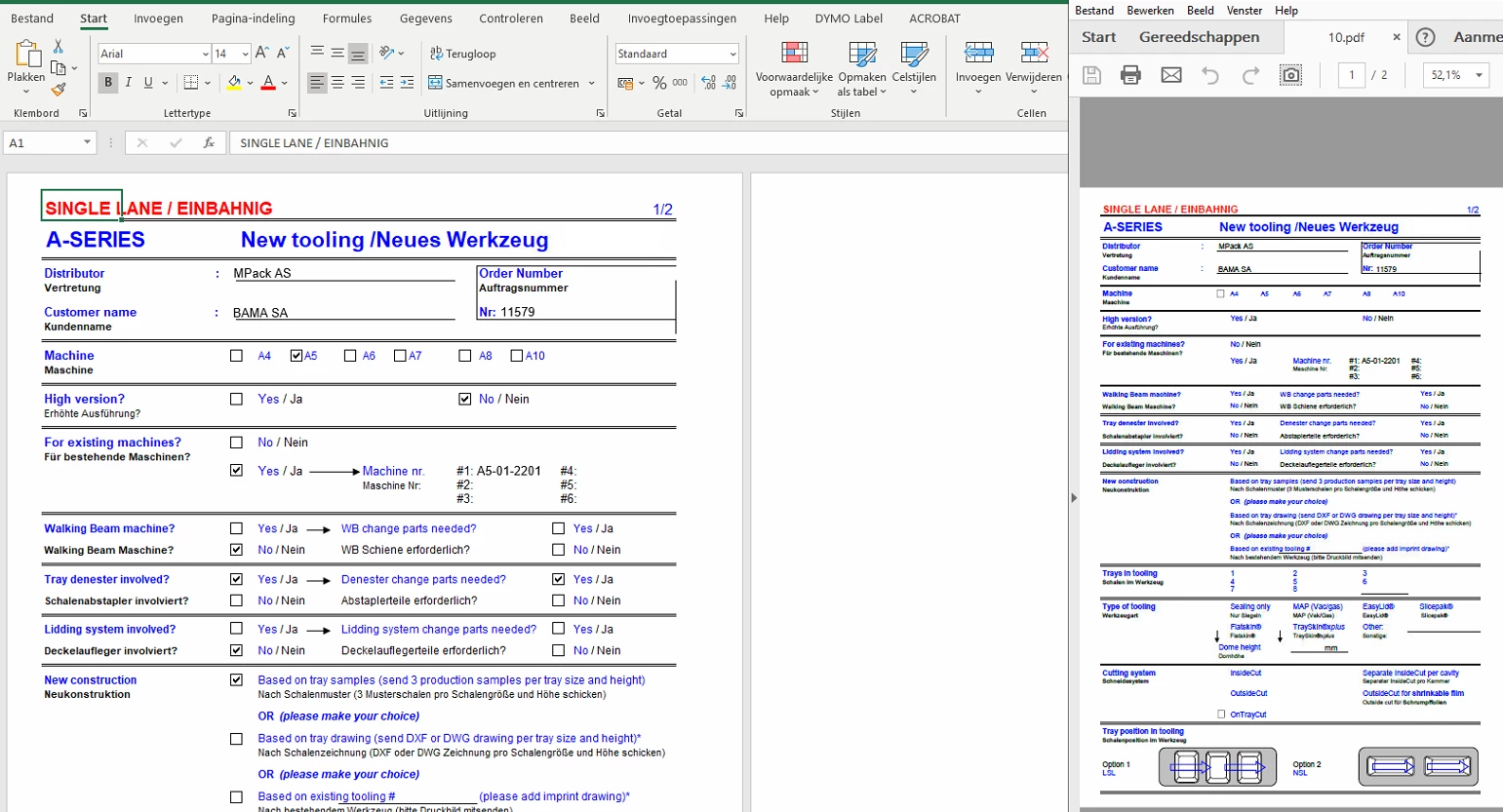
When using the Add-in of Adobe Acrobat 2017 in Excel a generated PDF-file has been created without the ActiveX-components of the worksheet. When using the Adobe printer from File > Print, the ActiveX-components are present in the PDF-file. The settings of the Add-in and PDF-printer are the same, both using the Default settings.
Adobe Acrobat Standard 2017 and Office 365 are running on the latest versions.
 AdChoices