

Question
Excel conversion to PDF through One Drive
Hi all,
I am having 2 issues with an excel to PDF conversion done via Power Automate and OneDrive. If I use the automated process, the PDF version co
mes out with the date format mm/dd/yyyy (even though my excel format is set at dd/mm/yyyy) and all of the excel data in the fields show as 0 in the PDF (see attached image) so its the OneDrive convert file function that seems to be playing up!
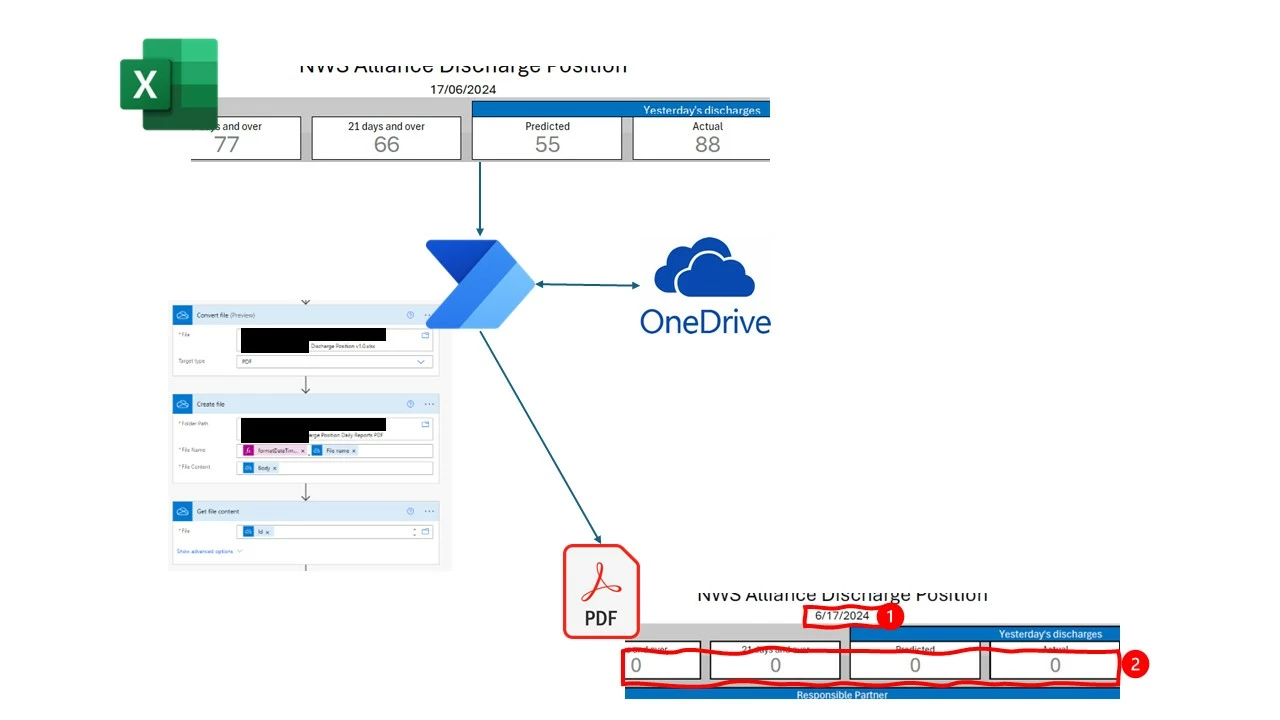
- If I do a print to PDF from Excel, everything is fine, but this is manual and I need to keep this in the automated flow.
- I have checked the OneDrive regional settings, they were set to US so has now been changed to UK, but this makes no difference.
Its driving me nuts! Help !


 AdChoices