Answered
Exporting a large pdf to png
I am wanting to export a large pdf file to png but getting this error message:
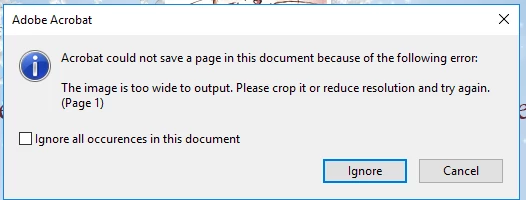
Is there any way around it? Cheers, Vicki

I am wanting to export a large pdf file to png but getting this error message:
Is there any way around it? Cheers, Vicki
Hi Vicki,
As error message says, "The image is too wide to output. Please crop it or reduce resolution and try again" seems this must be causing issue with a specific PDF which has a pdf page with the large content.
I don't think so there would be a workaround to fix that specific page. But we suggest you to read this help article The Image is too wide to output. Please crop it or reduce resolution and try again (Print Production) where similar issue has been addressed and resolved.
Let us know how it goes.
Thanks,
Akanchha
Already have an account? Login
No account yet? Create an account
Enter your E-mail address. We'll send you an e-mail with instructions to reset your password.


 AdChoices