


Participant
October 15, 2025
Question

Fallo en Acrobat, producción de Impresión, Comprobaciones

  • October 15, 2025
  • 1 reply
  • 122 views

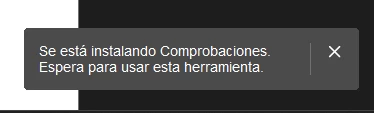
Tengo una organización y en toda las instalaciones de acrobat Pro sobre windows falla la parte de "comprobaciones" dentro de la herramienta de producción de Impresión. Cuando pulso en Comprobaciones, aparece un mensaje: "Se está instalando comprobaciones. Espera para usar esta herramienta"


Pero no se instala nada y nunca funciona la herramienta.

En versiones anteriores si funcionaba. He probado incluso en un equipo limpio instalado de cero y el resultado es el mismo.

¿Me pueden decir como puedo solucionarlo?

Adjunto la foto que aparece: 
 

1 reply

creative explorer
Community Expert
Community Expert
October 16, 2025

@MARIANO26777513mtf1 Since you've confirmed it happens on clean installations and across your organization, the problem is very likely a network, security, or permissions restriction preventing the on-demand download of the tool components. Curious, are you and the others using the 'New Acrobat Interface?' — if so, go into View > Disable new Acrobat, this might fix the component-loading issues. Acrobat will restart, often resolving strange loading issues with complex tools. If that works, then you don't need do the following. If not, by any chance did this work previously? You might be able to manually copy the missing component files to those computers isn't working. Or copy the entire contents of the folder from a computer where the tool works and paste them over the corresponding (and possibly incomplete) folder on a non-working machine. As well, run Acrobat as Adminstrator. Right-click the Adobe Acrobat shortcut and select "Run as administrator." Then, try accessing the Checks tool again. Running with elevated privileges may allow the required files to download and install correctly. Let me know if that helps?

m
Participant
October 22, 2025

hola, estoy con el mismo inconveniente: "Se está instalando comprobaciones. Espera para usar esta herramienta" y no puedo solucionarlo. 


Participant
October 23, 2025

Ya lo he resuelto. Hay que entrar desde Configuración, Aplicaciones y darle a los tres puntos y modificar.

Pongo foto.