
Question
File attachment properties error when adding header
An error doesn’t really come up with this procedure, but it is an unwanted “highlight” for lack of a better word when I do the following:
- Save an email from Microsoft Outlook as a pdf that has attachments (of any and all kinds)
- Add a header/footer
- Unwanted Highlight covers each of the attachments
- Right-click the highlight to unlock Appearance, move Opacity slide bar to 0%, then lock again.
- I have not found a way to prevent the highlight from occuring or a way to remove them.
- Checking “Make Properties Default” does NOT work for other attachments or future files.
Screenshot attached, thanks. 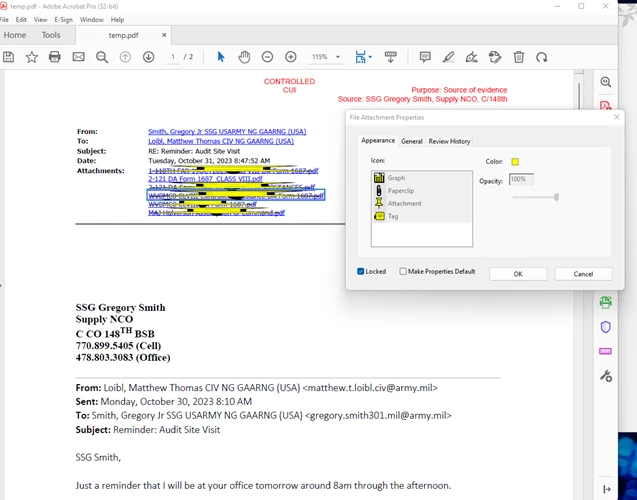


 AdChoices