


File does not begin with '%pdf' error with adobe reader 10.1.5 onwards
In our web application we are using activePDF toolkit (3rd party component) to fill up carrier forms on the fly which are PDF files.
The output file processed by the above library works fine when opened with adobe reader 8, 9 and10 on end user’s browser (IE); however, it gives below error when opening with adobe reader 11.
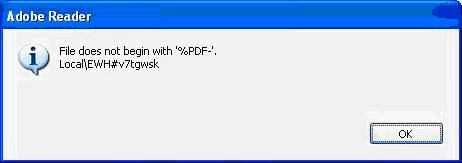
Till now, we have tried different settings at IIS level, Internet explorer e.t.c. suggested on different internet posts. However, we are still facing the problem.
While analyzing this we have come across following link
http://helpx.adobe.com/acrobat/kb/pdf-error-1015-11001-update.html
According to this adobe 10.1.5 onward file should only start with "%pdf". If file start with other than this we get file corrupted message.
Before we can communicate this message to client we want to confirm this for experts. Please let me know my assumption is right?
 AdChoices