


kroots
Participant
April 20, 2020
Question

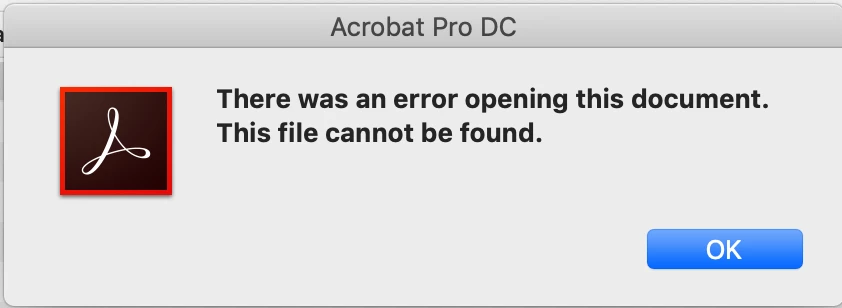
file not found error when trying to open pdf from my Lacie back up drive

  • April 20, 2020
  • 1 reply
  • 4343 views

I'm trying to open PDFs from myLacie back up drive but I keep getting a file not found error can anyone give me instructions on how to resolve this. I use Adobe CC so everything is totally up to date -  but this level of techie issues is beyond me!
 

This topic has been closed for replies.

1 reply

Amal.
Community Manager
Community Manager
April 21, 2020

Hi Kroots 


We are sorry for the trouble. As described you are getting the error message while opening the document from your backup drive.


Is this a behavior with a particular PDF file or with all the PDFs that you try to open from the backup drive? Please try to open a different PDF file and check. 


Please try to copy and paste the PDF file form the backup drive to your computer locally and then try opening it and see if that works.


You may also refer to the steps provided in the help article (https://helpx.adobe.com/acrobat/kb/cant-open-pdf.html) and see if that helps


Let us know how it goes


Regards

Amal

kroots
krootsAuthor
Participant
April 21, 2020

I have tried to find repair but my help tab doesn't offer it for some reason.


If I save files manually I can open them but if they are saved via the back up on the external drive then they don't open and I get the error message. I create files, used a new external drive partitioned it to back up and manual back up and saved the pdfs I was able to open the manually saved with no problem but the automatically saved won't open. 


Legend
April 21, 2020

Automatic backups often have to be restored before use. Check the info on your automatic backup software