
Participant
August 8, 2023
Answered

Filename changes when I open a PDF file

  • August 8, 2023
  • 2 replies
  • 3981 views

I have a file Johny McCloud Res Letter, but when I use Adobe Acrobat Pro to open the file, the name of the file changes to Akimoto Res Letter. I tried renaming it again, which works, but once more upon opening the file, the name is Akimoto Res Letter.. This is a major issue, we can;t send the file out with the incorrect filename.
This topic has been closed for replies.
Correct answer AkanchhaS8194121

Hi @Paiea31564609vx88 


Hope you are doing well.


If this is a case with a particular file, then the file properties are probably set in that way.

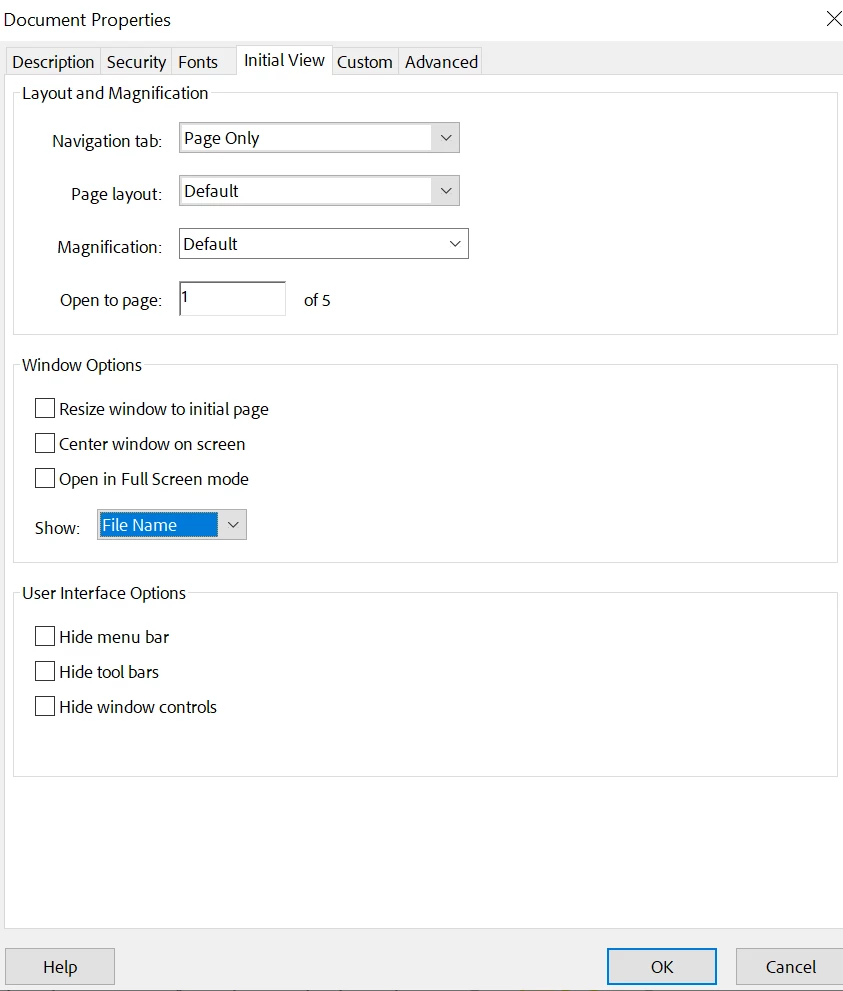
Open document>right click>Document Properties>Initial View>show "File Name" or "Document Title"


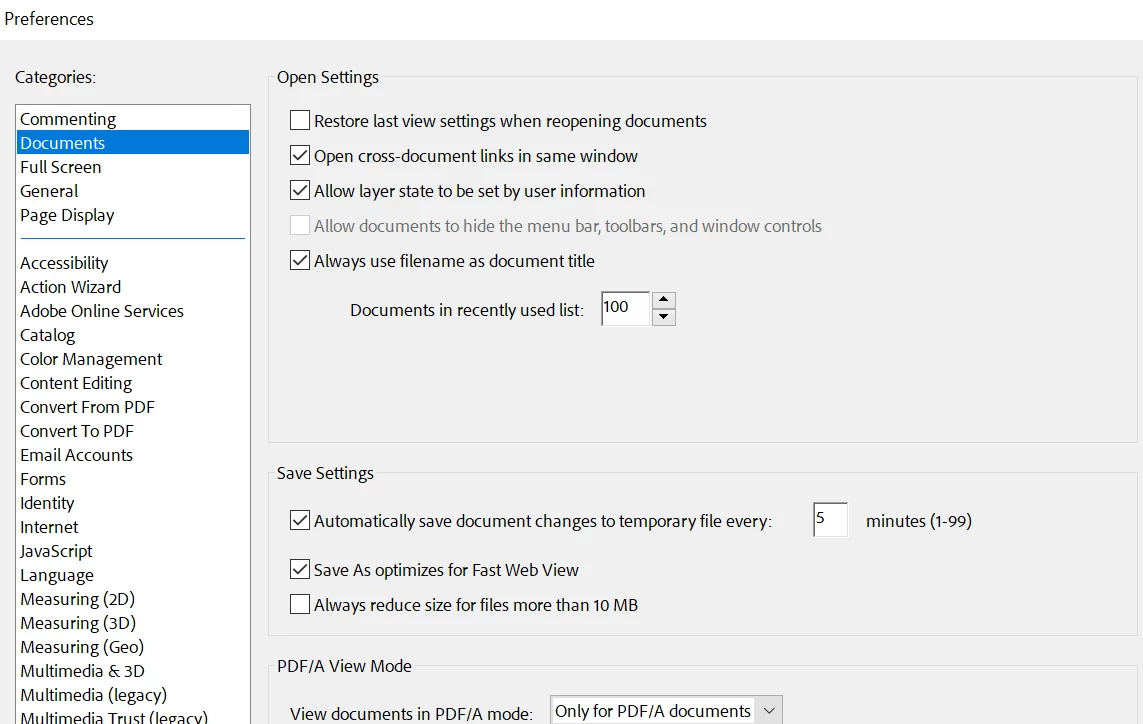
Also, in Preferences (Ctrl+K)>Documents >Always use file name as document title>OK


Thanks,

Akanchha

2 replies

gary_sc
Community Expert
Community Expert
August 8, 2023

Hi, @Paiea31564609vx88, can you please let us know HOW you are creating the PDF? What steps are you taking?


Thanks

Participant
August 8, 2023

Greeting Gary-

Thanks for writing. I did not create the document itself, I am helping someone who either created it or received it as an attachment. But we have the naming problem fixed now. Mahalo!

AkanchhaS8194121
AkanchhaS8194121Correct answer
Legend
August 8, 2023

Hi @Paiea31564609vx88 


Hope you are doing well.


If this is a case with a particular file, then the file properties are probably set in that way.

Open document>right click>Document Properties>Initial View>show "File Name" or "Document Title"


Also, in Preferences (Ctrl+K)>Documents >Always use file name as document title>OK


Thanks,

Akanchha

Participant
August 8, 2023

Good day-

In document properties, the incorrect name appears. By editing the name, it fixes the issue. Thanks very much!

AkanchhaS8194121
Legend
August 18, 2023

That sounds great! Happy to help.


Let us know if you need any further assistance.


Thanks,

Akanchha