
Participant
February 19, 2017
Answered

Fill and sign feature is not appearing on Adobe DC Pro

  • February 19, 2017
  • 2 replies
  • 4230 views

Hello everyone,

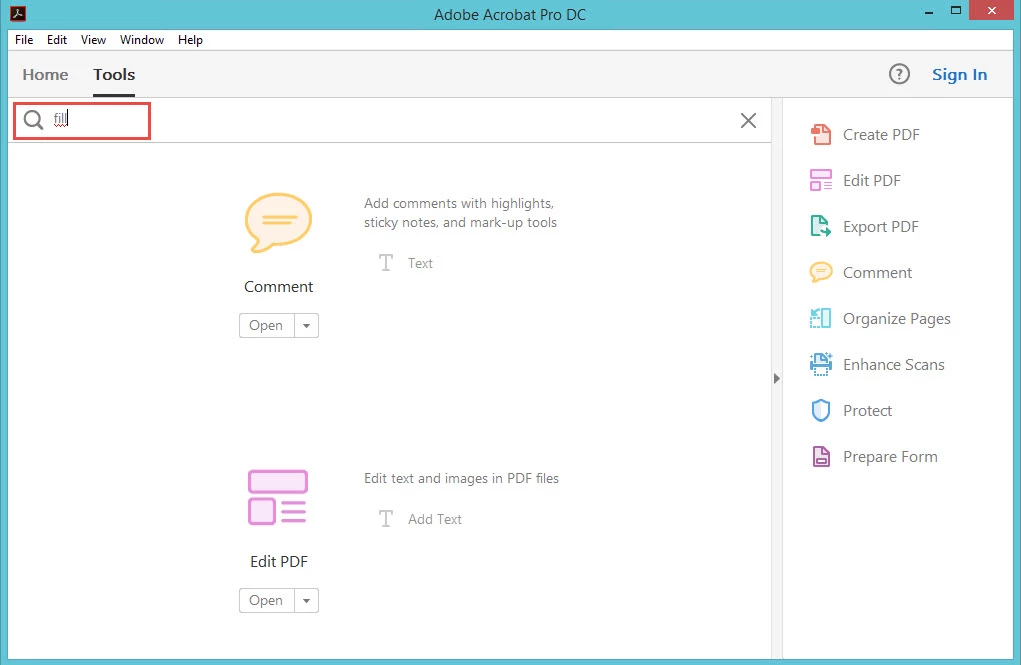
I am using adobe DC pro 2015.006.30280 , installed on windows 8 Pro. my problem is finding fill and sign feature it's not showing on my version I tried to use search tool but couldn't find it ,

can you please tell me how to add it
any reply or help would be highly appreciated
This topic has been closed for replies.
Correct answer gener7

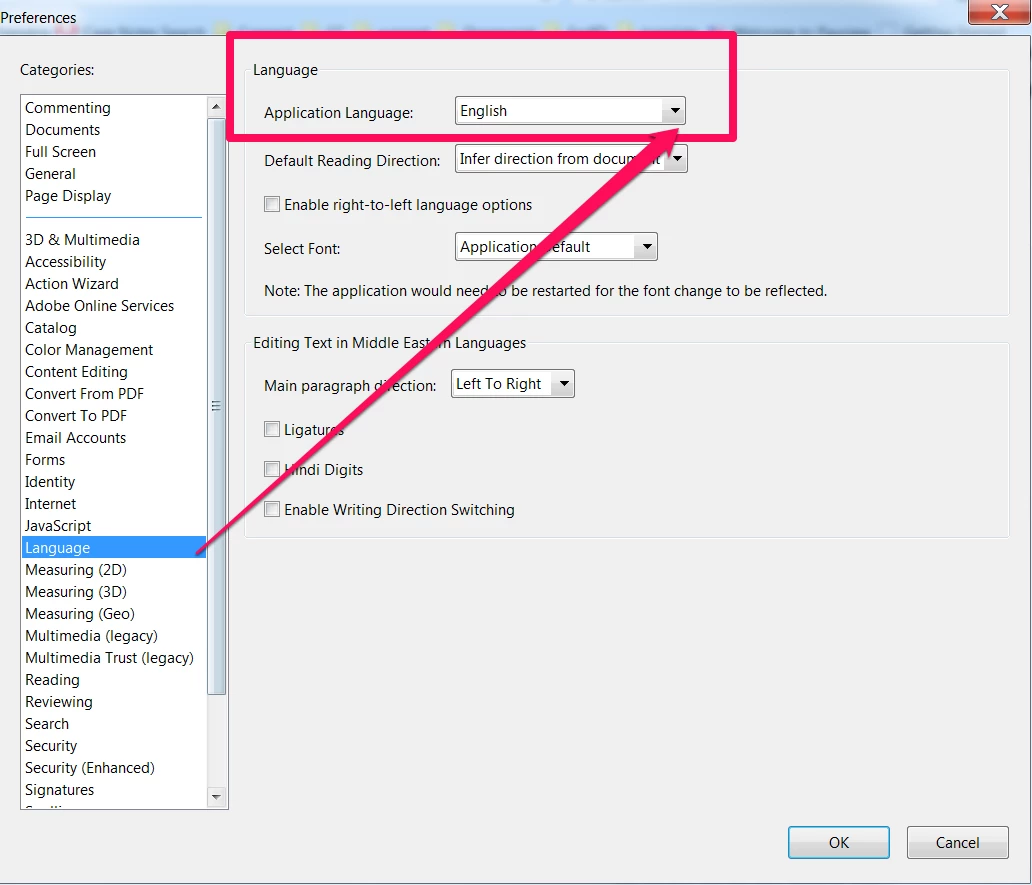
It might be you have it set to other than English:

"Acrobat just disabled all three tools related to signature if the Application Language is not (English only). mine was English with Arabic support, and did not work until I changed it back to English."

Fill and Sign feature is missing in acrobat pro DC

2 replies

Participant
February 26, 2017

Dear gener7,

thanks for the reply,

unfortunately it's not there ! that's why I am posting here, please check the image above .

I don't know why it's not there.

I am using 8 adobe pro computers, and I compared the version there all are the same version number but this feature is not available in pc.

any idea how to view it on the search tool? I already scrolled down the page before not there.

thanks in advance

gener7
Community Expert
gener7Community ExpertCorrect answer
Community Expert
February 26, 2017

It might be you have it set to other than English:

"Acrobat just disabled all three tools related to signature if the Application Language is not (English only). mine was English with Arabic support, and did not work until I changed it back to English."

Fill and Sign feature is missing in acrobat pro DC

Participant
February 26, 2017

Dear Gener7,

thanks a million, it's correct after I change  the settings to left to right , then select English language I could see fill and sign tool.

appreciate your help and support

Participant
February 26, 2017

Hello everyone,

am I  posting in the official Adobe forum ?

is this the right forum to ask?

7 days without any reply. I think it's n't a complicated issue .

still hope to find an answer from someone here.

any reply or help would be highly appreciated

gener7
Community Expert
Community Expert
February 26, 2017

Surprised no one saw this.

Ok, click on the Tools tab and look under the Forms and Signature heading. You'll have to scroll down.