


Participant
February 1, 2023
Answered

Fill & Sign has disappeared!

  • February 1, 2023
  • 6 replies
  • 49764 views

Hello, 


The Fill and Sign tool has completed disappeared from my Acrobat. It is a new computer and I've just downloaded the latest version of Acrobat Pro from Creative Cloud. 
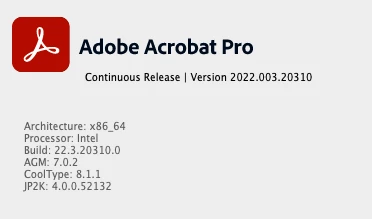


I'm working from a Macbook Pro with the Ventura OS. 13.1 


When I open up ANY pdf the fill and sign tool is not either in shortcuts or the menu. I checked the security settings of the pdf and all permissions to adapt or sign were allowed. I tried using the tool and using the menu, but nothing happened at all. 
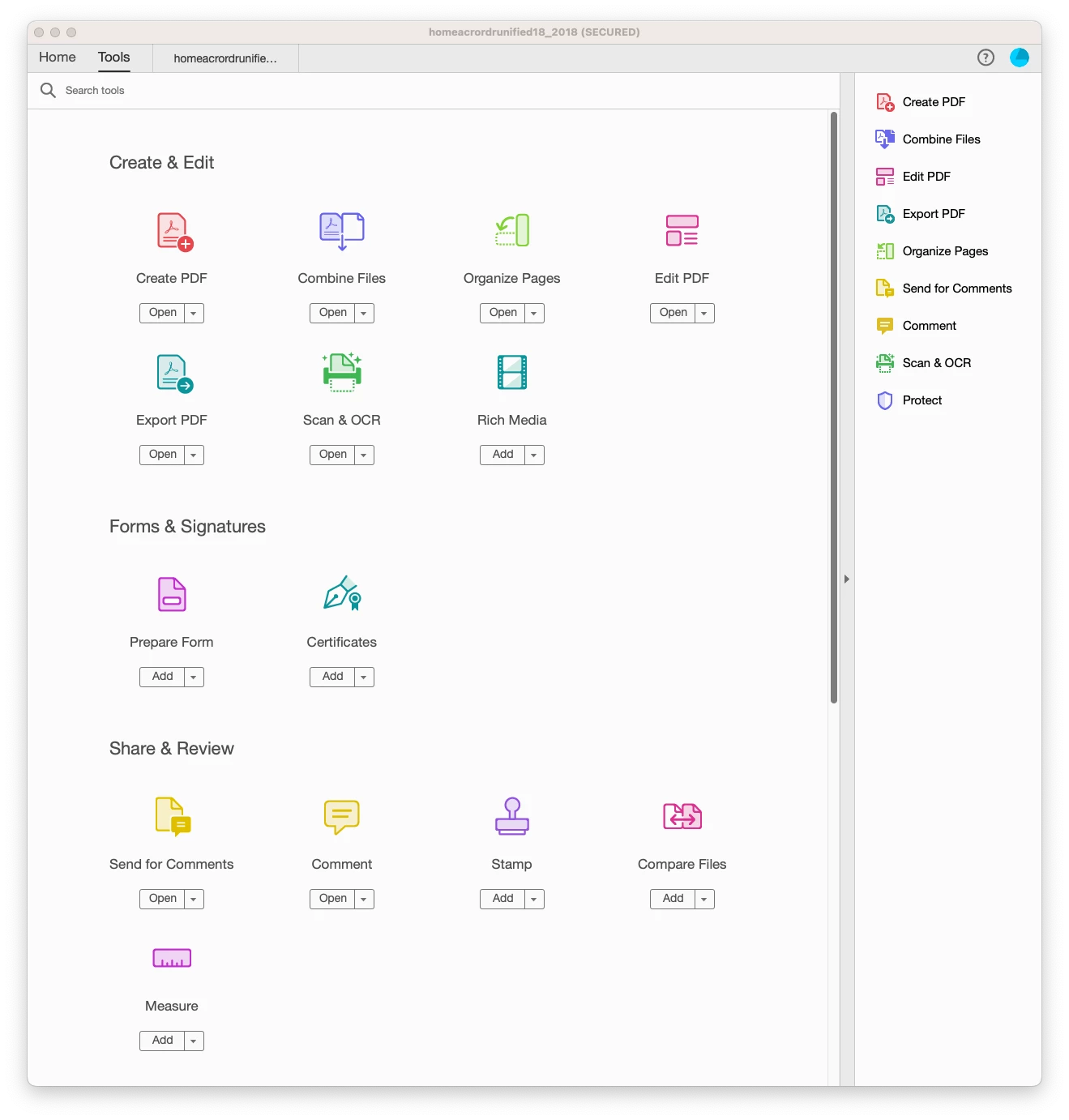
 Appreciate your help. Turns a 30 sec task into a laborious task. 

Correct answer MakN32106994ou3n

Hey, for anyone wondering I found the fix for the missing Fill and Sign.  Go to edit > Preferences and go to language. From here ensure that it is set to OS, for me it was Arabic and English, restart the application fully and boom. Fill and sign reappeared. 

6 replies

Participating Frequently
October 13, 2024

I am really trying not to hate adobe but its impossible. 


turn on the acrobat, to sign my taxes and the feature is missing. its the only thing I use acrobat for. what a joke.

Participant
September 16, 2024

Sign out from your account. log in to Adobe with a new account( you can create a new Google account and sign it with that one), it should solve the problem.

Participant
September 16, 2024

Thats not going to help when using the licensed products as they are tied to your account.

I have spoken with Adobe who confirmed this is a known bug with some european customers.


Participant
May 16, 2024

Omg the language change to OS worked for me!!!!!!!!!!!! It was bugging me sooo much!!!! What a lifesaver. And what a stupid bug Adobe need to fix!

Participant
December 9, 2024

Changing it FROM the OS language TO English worked for me.

So, I wonder if it's just a matter of changing whatever the Language is set to.

Regardless, it's a stupid bug that should never have made it out of QA testing.

MakN32106994ou3nCorrect answer
Participant
September 6, 2023

Hey, for anyone wondering I found the fix for the missing Fill and Sign.  Go to edit > Preferences and go to language. From here ensure that it is set to OS, for me it was Arabic and English, restart the application fully and boom. Fill and sign reappeared. 

Participant
December 20, 2023

Hello! Just to confirm I have two more cases with that issue. It was solved by changing the Language to the same as OS as previously commented.

I've lost so much time: removeing user from Adobe Admin console, recreating, adding proper license; nothing. Then uninstalling Adobe twice, completely, still nothing...

Thanks for the support in the community, this has been of great help.

This is a quite a big/strange bug indeed... Adobe needs to fix this 😉

Kind regards!

Participant
January 8, 2024

this worked for me too - thanks for the solution

jane-e
Community Expert
Community Expert
February 1, 2023

@shaunm7100783 


Can you tell us what you see when you use the scroll bars to scroll down?


Jane


jane-e
Community Expert
Community Expert
February 1, 2023

@shaunm7100783 

Also: what happens when you start to type "Fill & Sign" into the Search box at the top?


Jane


Participant
February 1, 2023

Here is the bottom half of the tools screen and what happens when I search for Fill. 

Simply isn't there. Going to try the cleaner tool now. 


Meenakshi Negi
Community Manager
Community Manager
February 1, 2023

Hi shaunm7100783,


Thank you for reaching out.


Please try updating the application to the latest version (22.003.20314). In Acrobat, go to Help > Check for updates.

Check if that makes any changes.

If that does not resolve the issue, let us know if it disappeared after the last update.

Let us know if the option doesn't appear. We will get this investigated.


We will be waiting for your response.


Thanks,

Meenakshi


Participant
February 1, 2023

Hi Meenakshi, 

I followed those instructions and installed an update. Sadly, it has not resolved my issue. Still no sign of the tool and I can't activate it manually. 


Await further instruction. 

AkanchhaS8194121
Legend
February 1, 2023

@shaunm7100783 

Thanks for checking that. Try this further step:

Run this cleaner tool to remove the existing installer and application’s file traces:

https://www.adobe.com/devnet-docs/acrobatetk/tools/Labs/cleaner.html

Download the Acrobat installer from here:

https://helpx.adobe.com/acrobat/kb/acrobat-dc-downloads.html


Let us know if you still don't get the tool back.

~Akanchha