
Participant
January 16, 2025
Question

Fillable Checkboxes for form unable to change from text box to checkbox?

  • January 16, 2025
  • 2 replies
  • 348 views

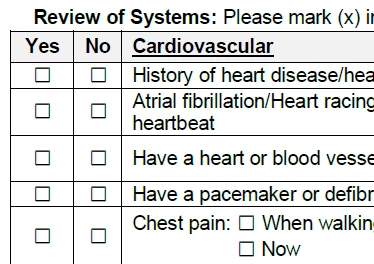
I have a document in Acrobat I'm tryingto  make a fillable document that has many checkboxes. When I "prepare form" it put text boxes rather than checkboxes in a pdf I already have set up but im tryingto make these checkboxes. Unfortunately I can't seem to figure out how to make it work properly or even really add checkboxes. It did auto do some boxes in other areas but not for the majority of the document that I need. Please advise 
2 replies

try67
Community Expert
Community Expert
January 16, 2025

When you go to Prepare Form mode select the Add New Field tool and then the Checkbox type should appear.

If you want to convert the text fields the wizard created to check-boxes you can use this (paid-for) tool I've developed:

https://www.try67.com/tool/acrobat-convert-form-fields-type

Another option is to use a script to identify the check-boxes directly and add fields on top of them. To do that you would need to use a font such as Wingdings, and then a script, like this other (paid-for) tool I've developed just for this task:

https://www.try67.com/tool/acrobat-reader-convert-wingdings-characters-to-check-boxes-or-radio-buttons

It will add fields with 100% accuracy, unlike the Fields Wizard in Acrobat.

Bernd Alheit
Community Expert
Community Expert
January 16, 2025

Remove the text fields and add checkboxes.