Participant
April 30, 2025
Answered

Fillable fields are not displaying

  • April 30, 2025
  • 1 reply
  • 784 views

I'm on Acrobat PRO

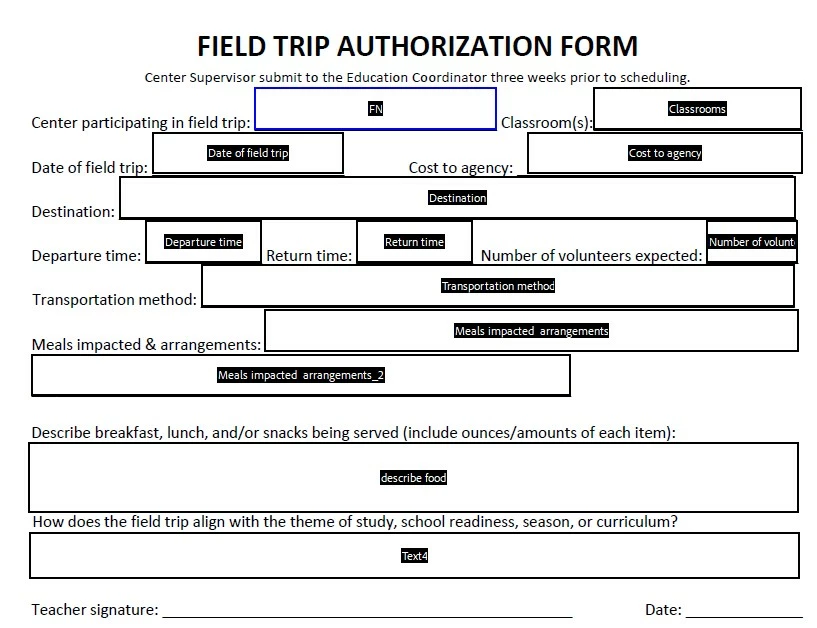
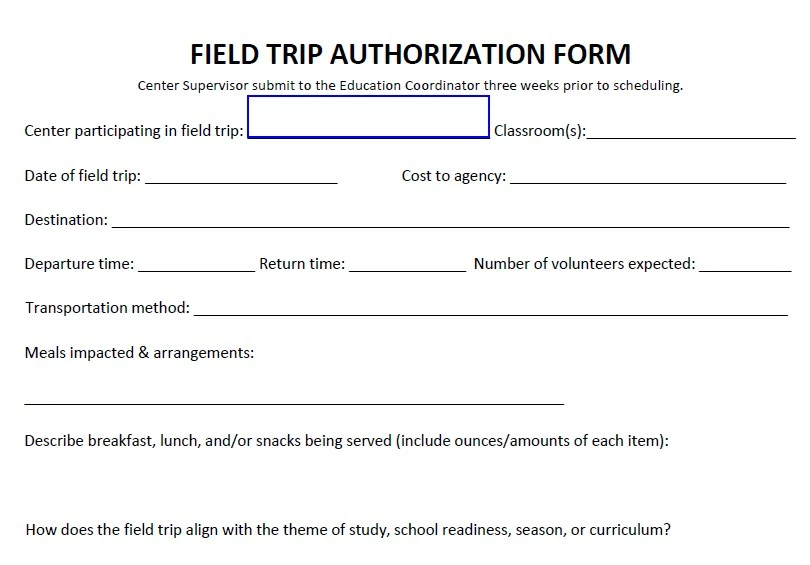
I manage 100s of fillable fields. After a recent update, when I open a form with fillable fields, they're no longer marked. You just have to know where they're at. I can click Prepare a Form and all my fields are viewable to edit. I can code one box to put a border around it and then when I exit Prepare a Form, that box then displays. It is not feasible to go back and edit all of these fields individually across all our forms. 


If I open in Acrobat in Chrome, all the fields are viewable. Everything I've found as a suggestion to click/view/turn on is on a path from I guess an old version, because those selection options are not there. Any ideas? I labeled the attached images.


Correct answer PDF Automation Station

Your field highlighting is turned off:


https://pdfautomationstation.substack.com/p/form-field-color-issues

1 reply

PDF Automation Station
Community Expert
Community Expert
April 30, 2025
Participant
April 30, 2025

THANK YOU.


I have to do a training video with all our staff now to show them how to turn this back on. About half us lost the feature and the other half kept it!

try67
Community Expert
Community Expert
April 30, 2025

You can embed a script in your file(s) that will turn it on automatically when the file is opened. Just be aware this is an app-setting, not a doc-setting, so it will affect all other files the user opens, as well.

The code to do it is very simple:

app.runtimeHighlight = true;

Place it under a new item (you can call it "load", for example) via JavaScripts - Document JavaScripts, save your file, and you're done!