satvikv26561728
Participant
March 13, 2015
Answered

Find and Replace ALL

  • March 13, 2015
  • 5 replies
  • 150741 views

I have a 33 page pdf which has ~2500 instances of the word "XYZ". I want to replace all XYZ with ABC. How can I do that? I am using Acrobat 11 pro.

Correct answer Test Screen Name

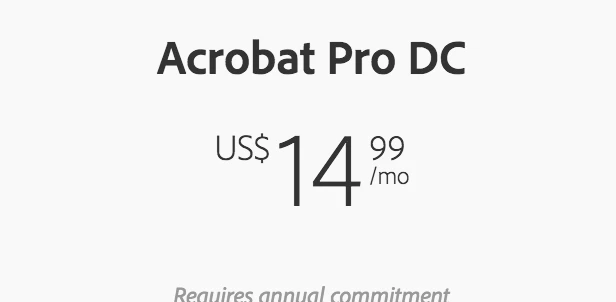
What do you mean? It's $15 per month.

Argument what Acrobat is and what it isn't makes no sense. Existence of this topic speak for itself.


Hmm, thanks for pointing out the price reduction. The original poster was asking about an older version. But certainly if you expect Acrobat to be like Word-for-PDFs you will have nothing but pain and disappointment. Marketing of course talk up the limited desperate-last-resort editing as if it's a great thing but it's vital to keep ORIGINALS for editing then remaking PDF.

5 replies

christopherb70298142
Participant
July 16, 2020

Seriously.  Is it that hard?  Replace All is important.

hutcherson.
Participant
June 30, 2020

4 years later, still the same.

Participant
December 11, 2019

If you have Acrobat Pro DC- you can use the redact tool to search and remove text. The tool gives you the option to select all instances of the text or select instances individually. Then you can redact the searched text throughout the entire document.

try67
Community Expert
Community Expert
December 11, 2019

That doesn't replace the text, though, only removes it...

Thom Parker
Community Expert
Community Expert
December 11, 2019

There is an interesting twist to the Redact tool.  With a script you can specify individual overlay text on each readact annot. Which is a kind of replacment. You could also replace the redacts with Free Text annots with an opaque background, then flatten them out. Not perfect, but something. 

It's also interesting that noone on this thread has pointed out that Acrobat is not a content creation tool. And the real solution is to change the original document. 


Thom Parker - Software Developer at PDFScriptingUse the Acrobat JavaScript Reference early and often
Participant
November 17, 2016

I can't believe this shit is possible in 2016. Really, no "Replace All" is a commercial product you charge $15 a month?

CtDave
Participating Frequently
November 18, 2016

@$15/month you're not in Acrobat eh.

Regardless, Acrobat "works" PDF.

PDF (See ISO 32000-1 (coming soon is -2)) *is not* a word processor file format.

Expecting PDF to behave like a word processing file format does not alter that.

Participant
November 18, 2016

What do you mean? It's $15 per month.

Argument what Acrobat is and what it isn't makes no sense. Existence of this topic speak for itself.

CtDave
Participating Frequently
March 14, 2015

Open the Find dialog (Ctrl or Cmd + F).

Enter "XYZ". For the replace with use "ABC".

Click "next" and then "replace" . Continue with click'n the "replace next".

One at a time - click & it is replaced, click & it is replaced, ...., until it is done.

Be well...

Inspiring
March 15, 2015

Basically there is not a find and replace in Acrobat. You have to find, type the replacement, and continue as mentioned. For what you want to do, it is generally recommended you go back to the original document for the change and create a new PDF.