


“Find Text and Redact” selects more words then needed
Hello everyone,
I have a PDF document where I want to remove a specific text/sentence from every page. This is a footer, but Adobe Acrobat Pro does not recognize it as such.
Furthermore, I can only use the "remove header and footer" function, whereas the header needs to remain.
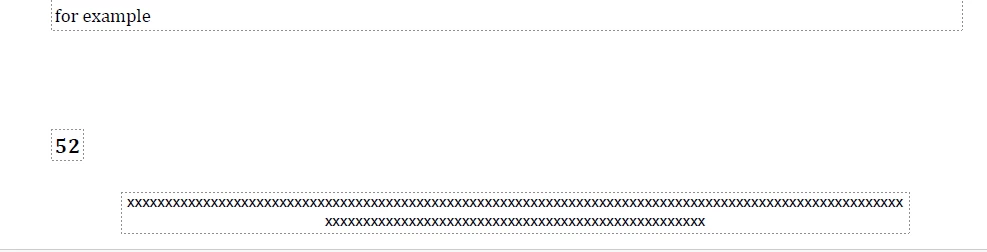
If I do execute this function, it only removes the page number (in addition to the header). The page number that appears between the main text and the text I want to remove.
If I use the "Search and Redact Tool" and enter the sentence I want to remove, the window shows that 260 sentences containing this text have been found. This number is correct.
The problem, however, is that I cannot remove these sentences yet.
In cases where multiple instances are found, the last word preceding that text in the main text is also listed. For example, the result for the image might show "for example xxxxxxxxxxxxxxxxxxx......" instead of "xxxxxxxxxxxxxxxxxx...".
If I select everything to delete, a lot of text that needs to remain disappears along with it.
How can I solve this?
Or is it possible to paste a white rectangle on every page in the same location so that the "xxxxxxxxxxxxxx..." text is no longer visible?
Thank you for your comments
Sander
Adobe Acrobat Pro 2026 user (2026.001.21789)
(Google Translate user also)

 AdChoices