Known Participant
July 25, 2018
Question

Fix Corrupted or Damaged File in Adobe

  • July 25, 2018
  • 1 reply
  • 1441 views

Whenever I go to open this file I get this error message every time.
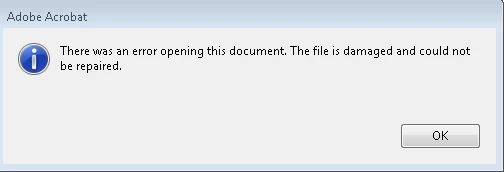
Is their anyway to fix this so I can open the file, without using 3rd party tools?

This topic has been closed for replies.

1 reply

Adorobat
Participating Frequently
July 31, 2018

Hi Joshuaa,

As per the issue description mentioned above, you are facing issue when trying to open a pdf in Acrobat, is that correct?

Please try the troubleshooting steps given in the following help documents:

Resolve damaged document error when opening PDF files

Can't open PDF

You may also refer to the following forum threads discussing the similar issue:

File is damaged and could not be repaired...

The file is damaged and could not be repaired

Thanks,

Shivam

Known Participant
August 2, 2018

The problem is occurring when ever I try to open the file in Acrobat, now I tried going through the HKCU path, now I don't now much about that stuff,  I do my best to stay away from editing anything in their.

I go as far as this HKCU\Software\Adobe\Adobe Acrobat\2017\AVGeneral\

Their was no bValidateBytesBeforeHeader, is that something I have to create myself, if so can you explain to me carefully what I have to do?

Adorobat
Participating Frequently
August 7, 2018

Hi Joshuaa,

I have sent you a private message, please check the inbox for the same.

Thanks,

Shivam