
fix for adobe collab sync
Has this issue been resolved?
I receive this error multiple times when opening a pdf.
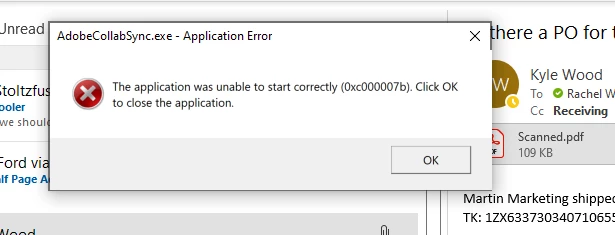
I've uninstalled Acrobat, reinstalled it, and kept my software up to date to rule out any issues that could arise from typical errors.
I have tried going to C:\Program Files (x86)\Adobe\Acrobat DC\Acrobat\ and locate AdobeCollabSync.exe
Right-click > Properties > Compatibility > checked the box run this program in compatibility mode for and selected Win7 from the list. Then clicked Apply OK, and rebooted the machine. I also made it so that the compatibility mode would affect all users. That didnt fix the issue. The only way that I have been able to workaround the issue is to:
a) Close Acrobat.
b) Open the Windows Task Manager's Details pane by pressing CTL+ALT+ Delete and selecting task manager. Confirm that the Processes tab is selected. Find AdobeCollabSync in the process list. Click to highlight and right click to end or stop the process.
c) Then in C:\Program Files (x86)\Adobe\Acrobat DC\Acrobat\, rename AdobeCollabSync.exe to something like AdobeCollabSyncOLD.exe.
d) Next click the Windows Start button, type Startup, select Startup Apps, and click the toggle to turn off AdobeCollabSync.
This stops it temporarily until Acrobat receives a new update. The update process repairs/recreates AdobeCollabSync.exe, so I have to go back and repeat the process above each time Adobe gets a new update. A new solution to resolve this issue has to have been found by now!


 AdChoices