Participant
June 22, 2023
Question

Font changes to heavier weight when edited in Adobe Acrobat

  • June 22, 2023
  • 1 reply
  • 373 views

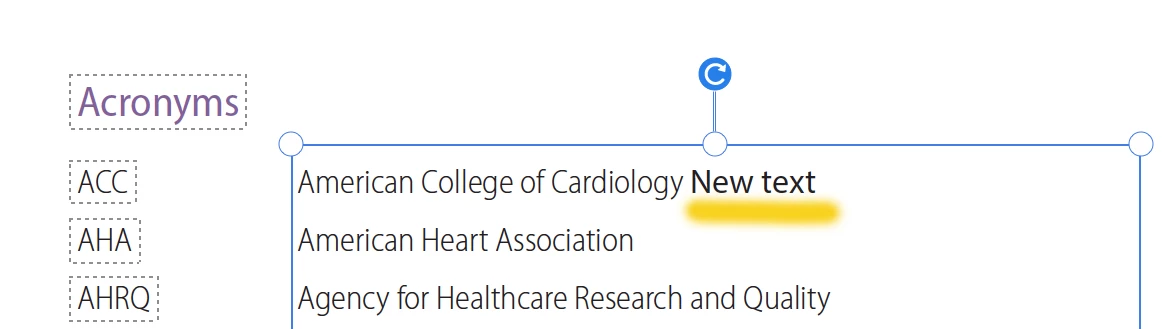
I have a PDF that was created in InDesign. When I attempt to make edits the font changes to a heavier font even though it says it's the same font as the current copy. It is a large document that has been tagged and remediated for 508 compliance so it would be preferable not to have to edit it in Indesign and remake the PDF. Is there anyway to edit it without the font changing? I've attached a picture, the highlighted portion is how the font changed.
This topic has been closed for replies.

1 reply

Meenakshi_Negi
Legend
June 30, 2023

Hi Mirna22870328kuo8,


Thank you for reaching out.


Please refer to the information in the following help document for adding text when editing PDF: https://helpx.adobe.com/acrobat/using/edit-text-pdfs.html

If the issue still occurs, please let us know if you use the same font to add text to the PDF. You may check the font in the right-hand pane by selecting the text. By screenshot, it seems to be font related issues.

Check if the font is embedded in the PDF or available on the machine. 

Share the screenshot of the full window and the PDF on which the issue occurs. 

Share Acrobat and OS version numbers.


Thanks,

Meenakshi