Hi Pizush,
As you have mentioned above, you click on Prepare form after converting Word file to PDF.
Would like to inform you that in Prepare form, you cannot make any changes to the text already on the PDF.
You can just add the form fields and apply an action to them in the document.
It seems that you are checking the font in the text box properties window for a text field you have added.
Check the screenshot below:
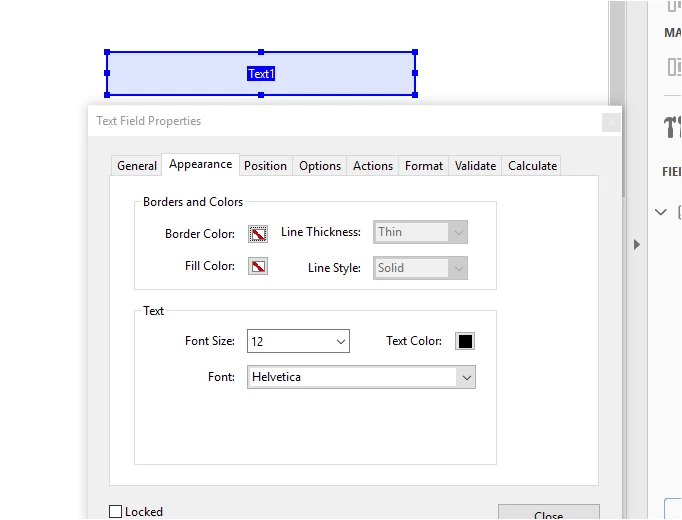
By default, the font selected for the text field is Helvetica. It does not refer to the text font of the PDF.
There is no option to change the default font for the text field. You will have to manually select the font for the fields.
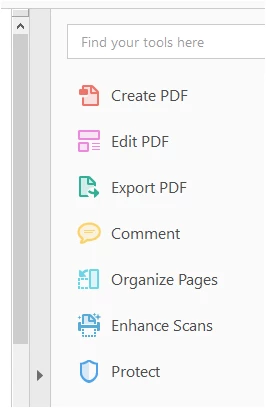
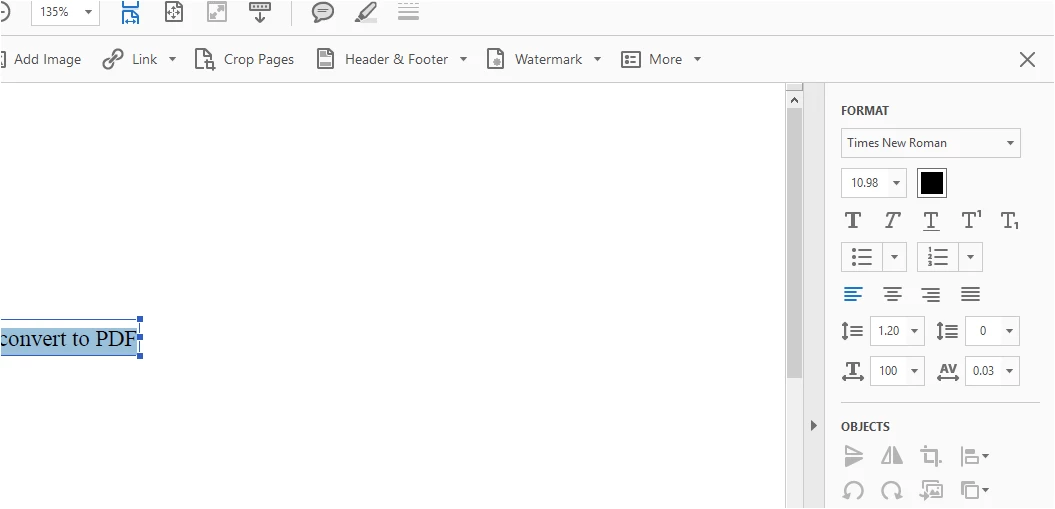
If you wish to check the font of the text in the PDF, open the PDF and go to Edit PDF.
Select the text and you will see the font of the text under the Format in the tool pane at extreme right.
Hope that answers your query.
Let us know if you have any questions or need any help.
Regards,
Meenakshi




 AdChoices