Participant
July 31, 2023
Question

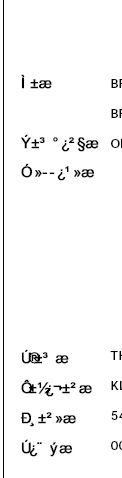
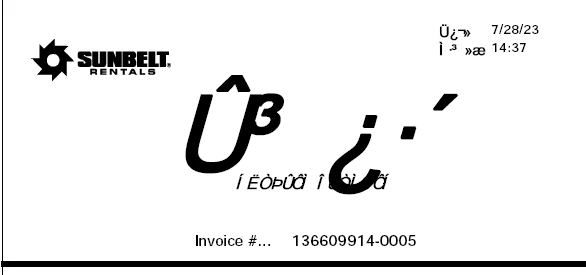
Font is not registering and changes to random symbols

  • July 31, 2023
  • 3 replies
  • 572 views

I have never had this issue with Adobe, but I am receiving invoices via email and they are usually sent as pdf's. It seems like to logo/font they use on their documents will not register and it will show me just a bunch of random symbols. Is there a way to fix this? 

It opens perfectly on my coworker's cimputer. 

Thanks!


This topic has been closed for replies.

3 replies

AkanchhaS8194121
Legend
July 31, 2023

++ adding on to the expert's suggestion.

About Font embedding and substitution, please go through this helpful article here: https://helpx.adobe.com/acrobat/using/pdf-fonts.html 


Also, some related discussion might help you finding the root cause of the problem: https://community.adobe.com/t5/acrobat-discussions/text-changes-to-special-symbols-with-saving-pdf-in-acrobat/td-p/10634321 


Thanks,

Akanchha

Brad @ Roaring Mouse
Community Expert
Community Expert
July 31, 2023

Is it just Acrobat that is showing it incorrectly? i.e. have you tried opening it in a browser?

Brad @ Roaring Mouse
Community Expert
Community Expert
July 31, 2023

Two possibilities:
1. They did not properly embed/subset the font so your System is trying to replace it, unsuccessfully.

2. Even if they did, your Acrobat may be configured to use local fonts, and it is unsuccessfully doing so. Check your Acrobat > Preferences > Page Display: uncheck "Use local fonts" if it is, then try again.