
Participating Frequently
February 21, 2024
Question

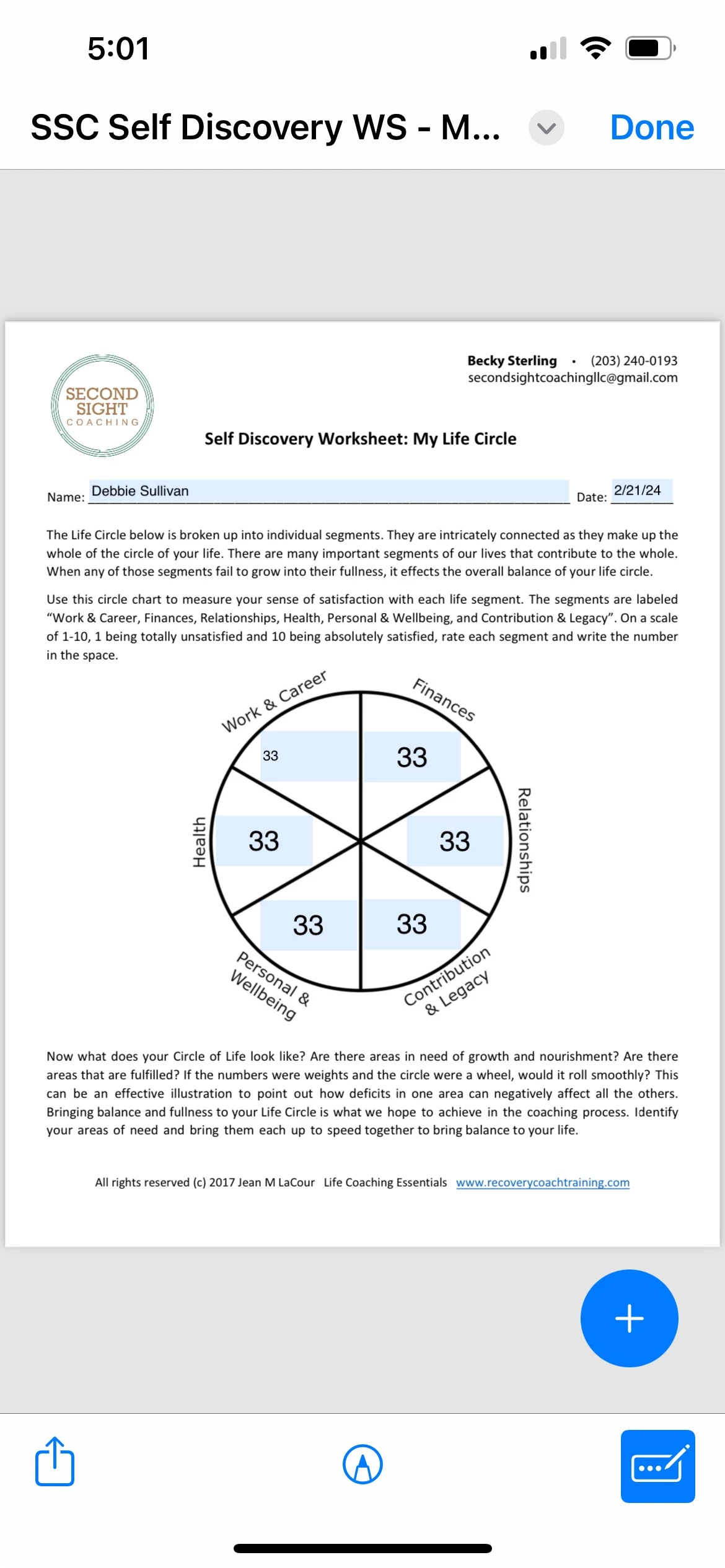
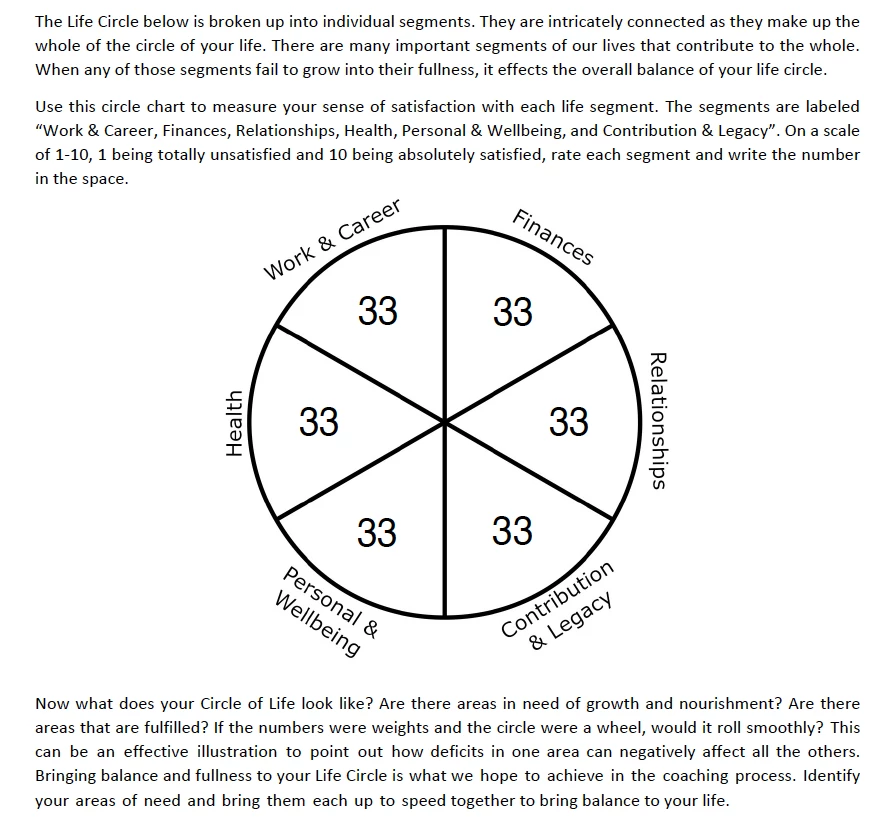
Form fields show different text size and placement across devices

  • February 21, 2024
  • 2 replies
  • 962 views

The bottom image here shows the correct form field text entry on my Acrobat DC program. Clients using iPads or iPhones continue to get weird results like the top image. All form fields are prepared correctly. Adobe Supp helped me today unistall AcrDC, run a cleaner utility and reinstall Acrobat DC. I recreated this interacive PDF and we are still seeing weird text field entries like this; I inherited the PDF itself from the client so I did not create the original doc, I am making them interactive, branding them, and doing some text edits to their content. The clients are using Acrobt Reader. Are the form fields unstable across devices/platforms? How do I control/correct this?
 

This topic has been closed for replies.

2 replies

JR Boulay
Community Expert
Community Expert
February 22, 2024

I wanted to say that it's not always necessary to share the whole document.


The good new: it's not a document issue.

The bad new: it's an app issue and there's nothing you can do about it.

Acrobate du PDF, InDesigner et Photoshopographe
GinnyHullAuthor
Participating Frequently
February 22, 2024

Oy vey 🥺 Thank you JR Boulay.  That's disappointing but I hope Adobe can remedy that. I guess it's best then for people to fill out interactive PDF forms on a computer rather than a mobiel device. 

JR Boulay
Community Expert
Community Expert
February 21, 2024

Can you share (part of) this form?

Acrobate du PDF, InDesigner et Photoshopographe
GinnyHullAuthor
Participating Frequently
February 22, 2024

Not sure what you mean by sharing part of it?