
Participating Frequently
December 22, 2021
Question

Garbled text when printing muliple pages

  • December 22, 2021
  • 2 replies
  • 796 views

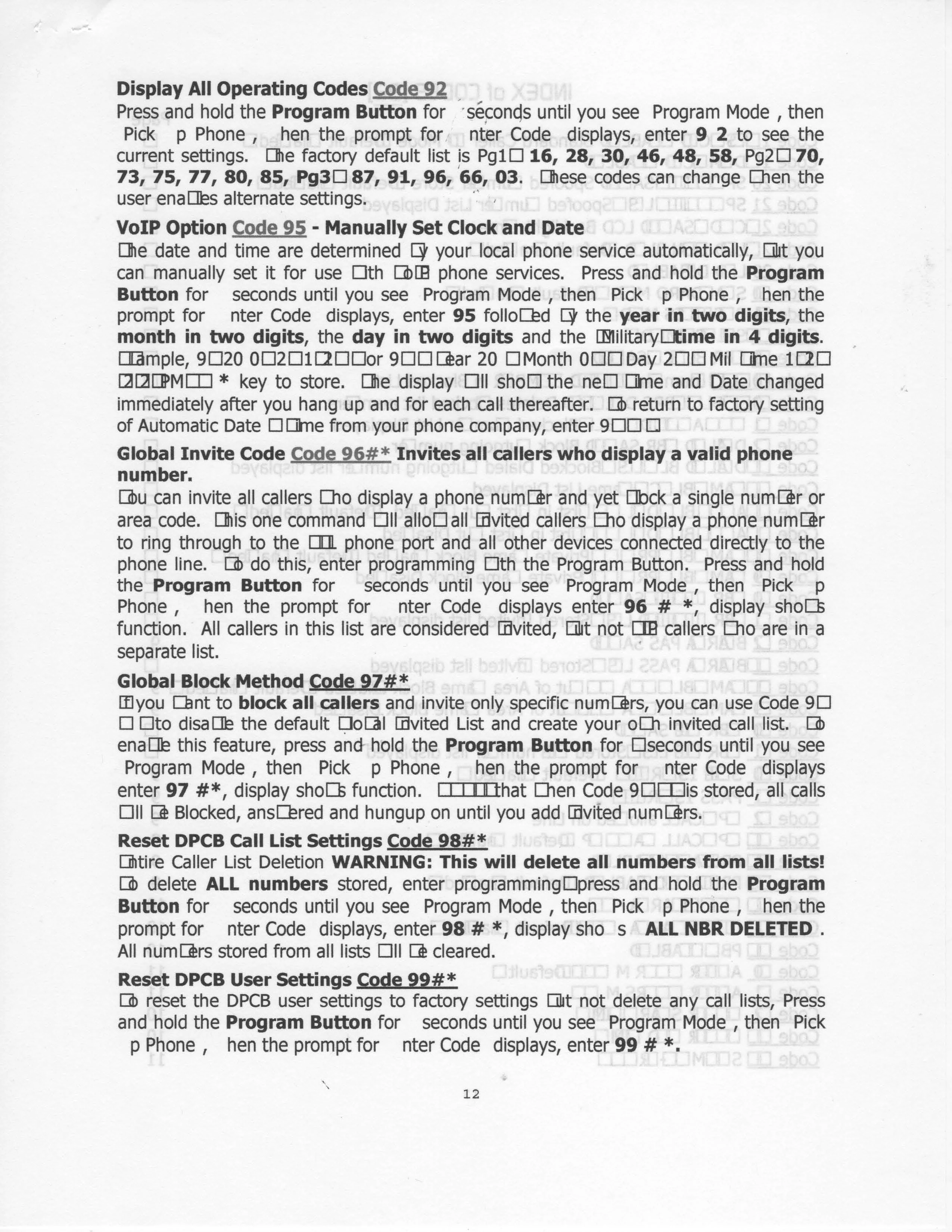
I'm trying to print a product manual. All of the pages are coming out garbled. I'll attach a jpg of it. However, if I print a single page, instead of all at once, they come out. I've never had this happen.
This topic has been closed for replies.

2 replies

Meenakshi_Negi
Legend
December 22, 2021

Hi Jedd,


Thank you for reaching out and sorry about the trouble.


As the PDF prints with garbled text, please confirm if it happens with a particular PDF.

Try to print as an image and check if that works. In the Print window, go to the Advanced tab and check the box for "Print As Image". 


Would it be possible to share the PDF with us so we can check it at our end?

Check if the fonts are embedded in the PDF. Open the PDF and go to File > Properties > Fonts.

Share the Acrobat and OS version on the machine along with the make and model of the printer in use.


Thanks,

Meenakshi


Participating Frequently
December 22, 2021

Meenakshi:

Printing as an image worked, thank you.
The Acrobat Standard DC version is 2021.007.20099 running on Windows 10. The printer is an Epson WF-3520. I'm attaching the PDF.


Jed


ls_rbls
Community Expert
Community Expert
December 22, 2021

In which version of Adobe Acrobat Pro is this happening?


Also, is that product manual a scanned document or an HTML webpage?


When you commit the print action, which printer are you currently using to print this document to a PDF?

Participating Frequently
December 22, 2021

Acrobat Standard DC version 2021.007.20099

The document is an operations manual that I downloaded from a website. I'm not printing it to a PDF, I'm simply trying to print it on an Epson WF-3520.