


Participant
August 25, 2025
Question

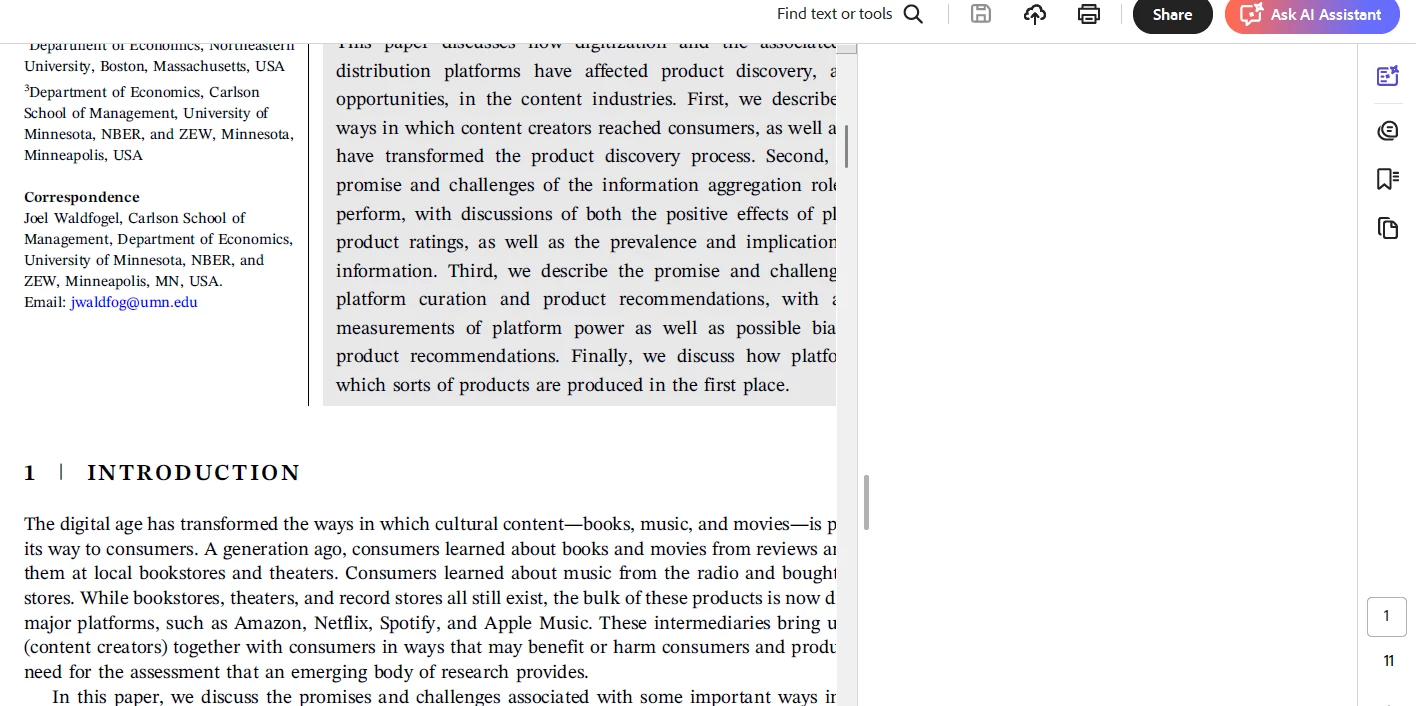
Generative AI is not working in desktop

  • August 25, 2025
  • 3 replies
  • 427 views

As said in the subject, generative AI is not working on desktop. When I click the icon on the menu, it just shows a blank white space. I can't click the AI assistant either. I've subscribed to Adobe Acrobat AI and my account is signed in to the desktop app. I have stable internet connection too.
What should I do? Thanks in advance for the help!
 

3 replies

Adobe Employee
November 10, 2025

Hi @cristina_6978 ,

Is the problem resolved? Can we close this case if resolved? If not can you please share the logs as mentioned in the thread.


Thanks,

Vinod

Adobe Employee
August 26, 2025

Hi @cristina_6978 

As per said by Tariq, please share the logs of the issue. 

Also, once you have sent the logs, please try restarting your system and let us know if it works. 


Thanks,

Shakti K

Legend
August 25, 2025

Hi @cristina_6978


Thanks for reaching out, and sorry for the troubled experience. 


Please ensure your copy of Adobe Acrobat is updated. To check for any pending updates, launch Acrobat > Help > Check For Updates.


There are a few things we can try:

1. If you open another file, try Ai Assistant. What happens?

2. Launch Acrobat, press Ctrl + K > Preferences > Generative AI, try to check all options, click Ok, and relaunch Acrobat. And try again.

3. While we try to figure out the problem, you can test this on Acrobat Web: https://adobe.ly/3HLCRjQ


If you are still experiencing the issue, help us with the following details:

  1. Acrobat version installed:   https://adobe.ly/3PQQ7nE
  2. OS name and version.
  3. Screen recording showing the problem. 
  4. Diagnostic logs


To collect the logs:

  1. Download and run the Diagnostics Utility from:  https://adobe.ly/4mVYKvB
  2. Click on Start Diagnostics. Ensure advanced logging is checked.
  3. Launch Acrobat, reproduce the issue with your file.
  4. Once done, click Stop Monitoring.
  5. Copy the Log ID and share it with us.

Let us know how it works.


Best regards,
Tariq | Adobe Community Team