

eleven9
Participant
August 18, 2026
Answered

Getting Error Code: 136 while trying to re-install Acrobat.

  • August 18, 2026
  • 3 replies
  • 11 views

Unstalled Acrobat since I was missing ‘Print production tool’ under All Tools. I was told to re-install Acrobat, but now i can’t reinstall it. I’ve tried restarting anfter every attempt 


Using Mac OS Monterey 12.7.6 on a Macbook Pro 2015
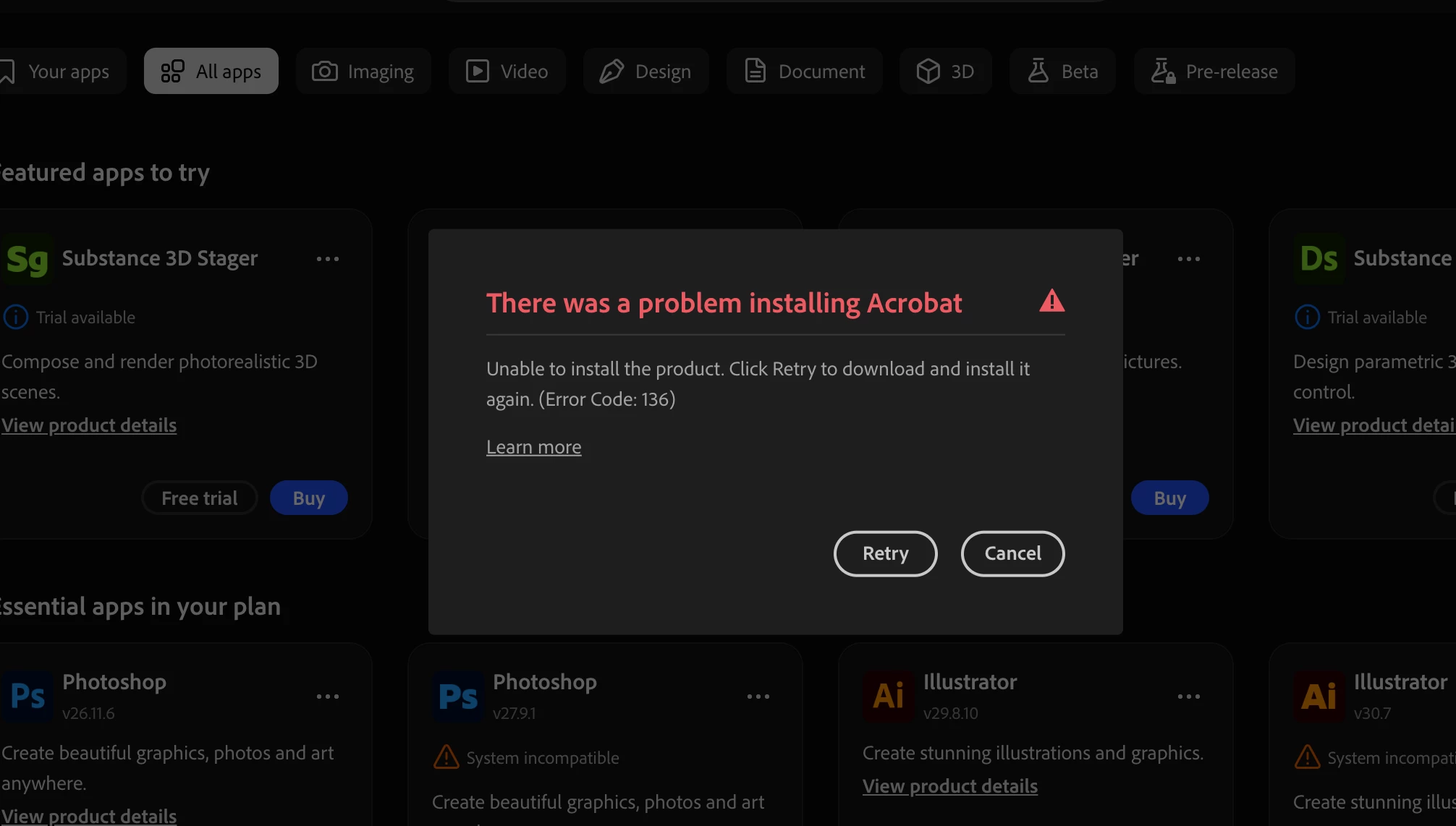
Then I tried to download it separate from Creative Cloud and it’s not possible. 

    Correct answer Meenakshi0101

    Hi eleven9,


    Thank you for reaching out, and sorry for the trouble caused.


    Please try reinstalling the application using the steps suggested below:

    • Ensure that the application is uninstalled. Run the cleaner tool from the following link: Acrobat Cleaner tool. Empty the trash folder.

    • Reboot the machine. 

    • Install Adobe Acrobat from the following page: Install Acrobat.  

    Let us know how it goes.


    Thanks,

    Meenakshi

    3 replies

    Meenakshi0101
    Community Manager
    Meenakshi0101Community ManagerCorrect answer
    Community Manager
    August 18, 2026

    Hi eleven9,


    Thank you for reaching out, and sorry for the trouble caused.


    Please try reinstalling the application using the steps suggested below:

    • Ensure that the application is uninstalled. Run the cleaner tool from the following link: Acrobat Cleaner tool. Empty the trash folder.

    • Reboot the machine. 

    • Install Adobe Acrobat from the following page: Install Acrobat.  

    Let us know how it goes.


    Thanks,

    Meenakshi

    eleven9
    eleven9Author
    Participant
    August 18, 2026

    Ahh.. the enterprise link. That seems to be what I needed to download. I think I’m back in business. 

    Meenakshi0101
    Community Manager
    Community Manager
    August 19, 2026

    Hi eleven9,


    That’s great! Glad to know that it helped.

    Feel free to let us know if we can help with anything else.


    Thanks,

    Meenakshi