January 20, 2026
Answered

Gmail printing

  • January 20, 2026
  • 1 reply
  • 60 views

When I used to print a pdf from my gmail it would pop up immediately and I could press print and it would print or download the paperwork. It was much easier this way. Now adobe acrobat is popping up in a separate tab and it's wanting to print from there. How do I get this to stopped? 

Correct answer creative explorer

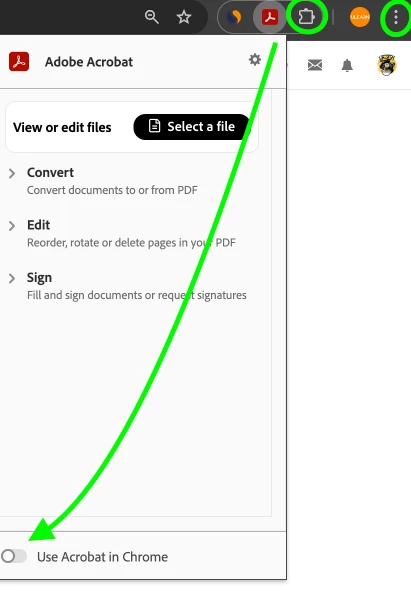
@ml_6778 Sounds like your Acrobat extension for Chrome is interfering with your workflow. Go ahead and turn that off. I have it pinned in my browser, and when I don't want to Chrome opening in my broswer, I slide the radio button to the left as shown.

875693iF80635F25505C08A.png


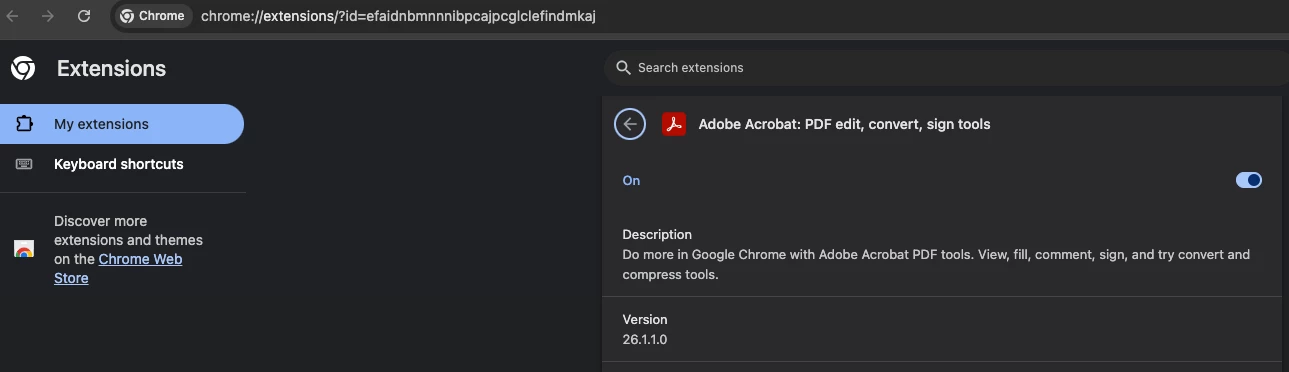
Granted, if you click on the puzzle piece you can slide the radio button to the left too!

875694iFCA9295CAFFB7C9C.png


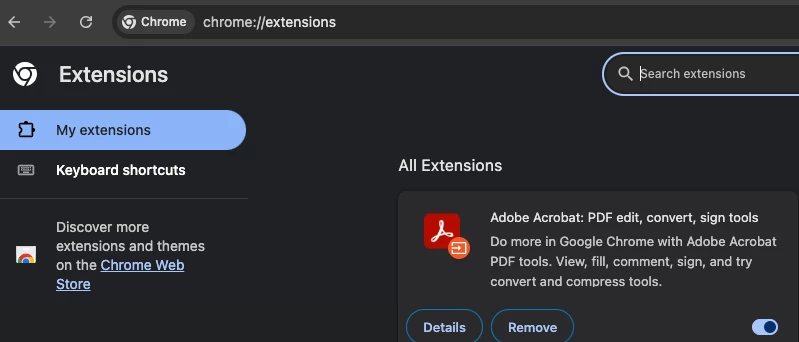
or three dots you can slide the radio button to the left too!

875695iDE4C9D3AB0FDEAB5.png


1 reply

creative explorer
Community Expert
creative explorerCommunity ExpertCorrect answer
Community Expert
January 21, 2026

@ml_6778 Sounds like your Acrobat extension for Chrome is interfering with your workflow. Go ahead and turn that off. I have it pinned in my browser, and when I don't want to Chrome opening in my broswer, I slide the radio button to the left as shown.

875693iF80635F25505C08A.png


Granted, if you click on the puzzle piece you can slide the radio button to the left too!

875694iFCA9295CAFFB7C9C.png


or three dots you can slide the radio button to the left too!

875695iDE4C9D3AB0FDEAB5.png


m
ml_6778Author
January 21, 2026

This fixed it. Thank you so much!

AnandSri
Legend
January 21, 2026

Hello @ml_6778


I hope you are doing well, and we're glad to know that the suggestion from our community product expert has worked. Please feel free to reach out if you need any assistance.


Thanks,

Anand Sri.