


Participant
Jan 6, 2025 3:12 PM UTC
Question

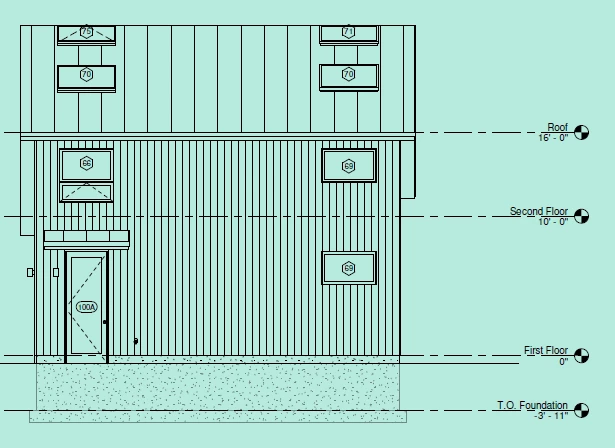
Green background on all pdfs when zoomed to fit one page

Out of nowhere all my pdfs in acrobat have a green background when zoomed to fit one page (default when opening pdfs). If I zoom in or out it dissapears. All I can find online is someone saying it could be HDR but I turned that off and it didn't fix. 


2 replies

Legend
Jan 7, 2025 10:26 AM UTC

Hi @Anonymous2024, 


Thanks for reaching out. 

Please check this topic: "Replace Document Colors:" https://adobe.ly/3ZY75VG and check if that makes a difference. 

Ideally, zooming in shouldn't make any difference in the document's background color. 

Also, try to check for updates pending, to check for any pending updates, launch Acrobat > Help > Check For Updates.


^TD

Translate
Participant
Jan 9, 2025 3:52 PM UTC

Replace document colors didn't work and there are no new updates. This is an HDR issue and there appears to be no solution besides turning off HDR every time I use an adobe product which is really annoying. I've tried changing the windows graphics settings of acrobat to not use Auto HDR but it doesn't work. There has to be a solution but I can not find one in any forum!

Translate