
Participant
October 8, 2024
Answered

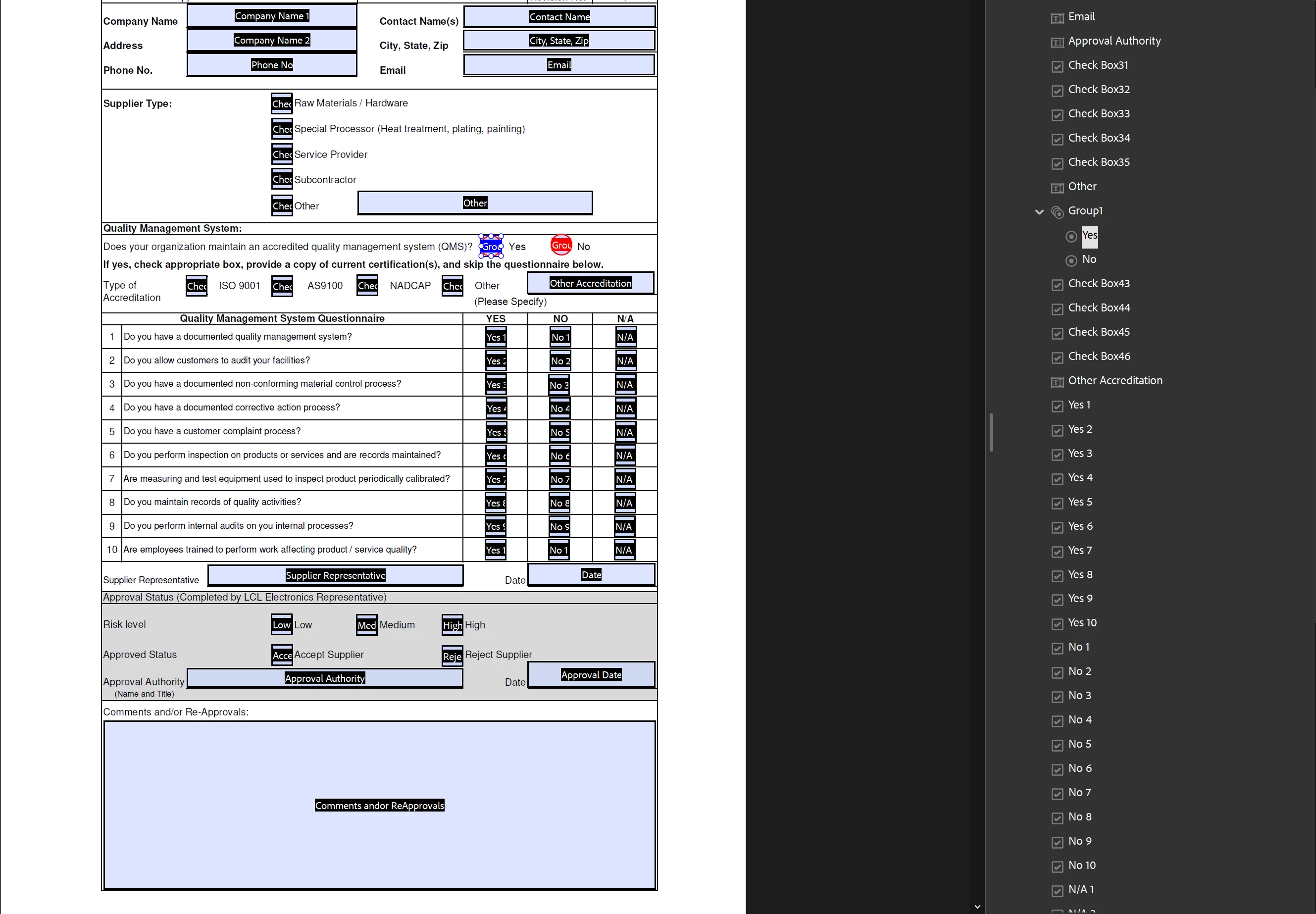
Grey out checkboxes when the Yes radio button is selected

  • October 8, 2024
  • 1 reply
  • 689 views

Good Morning - 

Novice here when it comes to codes and JavaScript! I am trying to grey out they Yes 1-10, No 1-10, and N/A 1-10 checkboxes ONLY IF the Yes radio button is selected. Can anyone assist me with how to go about this? Thanks in advance!


This topic has been closed for replies.
Correct answer Nesa Nurani

Put this in any text field as custom calculation script:

var rb = this.getField("Group1").valueAsString;
for(var i=1; i<=10; i++){
 this.getField("Yes "+i).readonly = (rb == "Yes") ? true : false;
 this.getField("No "+i).readonly = (rb == "Yes") ? true : false;
 this.getField("N/A "+i).readonly = (rb == "Yes") ? true : false;}

1 reply

Nesa Nurani
Community Expert
Nesa NuraniCommunity ExpertCorrect answer
Community Expert
October 8, 2024

Put this in any text field as custom calculation script:

var rb = this.getField("Group1").valueAsString;
for(var i=1; i<=10; i++){
 this.getField("Yes "+i).readonly = (rb == "Yes") ? true : false;
 this.getField("No "+i).readonly = (rb == "Yes") ? true : false;
 this.getField("N/A "+i).readonly = (rb == "Yes") ? true : false;}
Participant
October 8, 2024

Perfect! Thank you so much!!

Next question...How do I get the checkboxes to turn back on if they change their answer to the "No" radio button.

Nesa Nurani
Community Expert
Community Expert
October 8, 2024

Script will do that.