


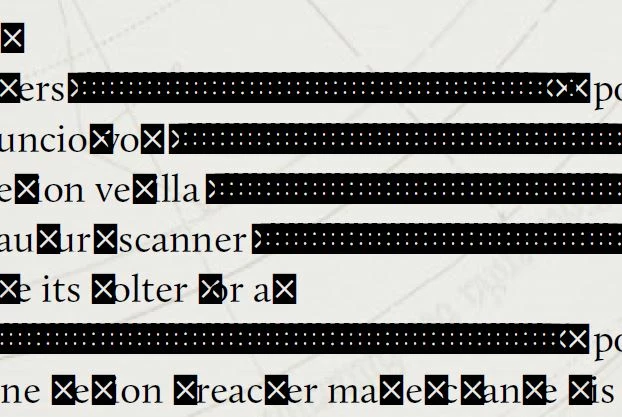
HELP: Black Box with White Cross overlaying text.
Hi , I've recently been editing a PDF in the newest Adobe Acrobat with no problems at all. When I went to open it the other day these boxes had appeared over most of my text (letter specific) (see images).

I've tried some of troubleshooting options including:
- Turning Off Replace Document Colors in Accessibilities.
- Unchecked Save As optimizes for Fast Web View.
- Force Embed fonts in Preflight Panel
None of these have changed anything. The interesting thing is that if I highlight the text inside the text box and copy and paste the text (including the ones with the boxes over them) into word or even a google search bar the text is retained. Which leaves me to believe it is a display problem. The font being used is 'Calluna' and is downloaded and installed correctly. If I change the text to a different font then back to Calluna it turns most of the black boxes back to text (expect for bullet points).
Any help would be appreciated as this is a 65 page document and I'd hate to start again. Happy to answer any question if my description was unclear.

 AdChoices