
Help: creating adobe pdf from postscript file
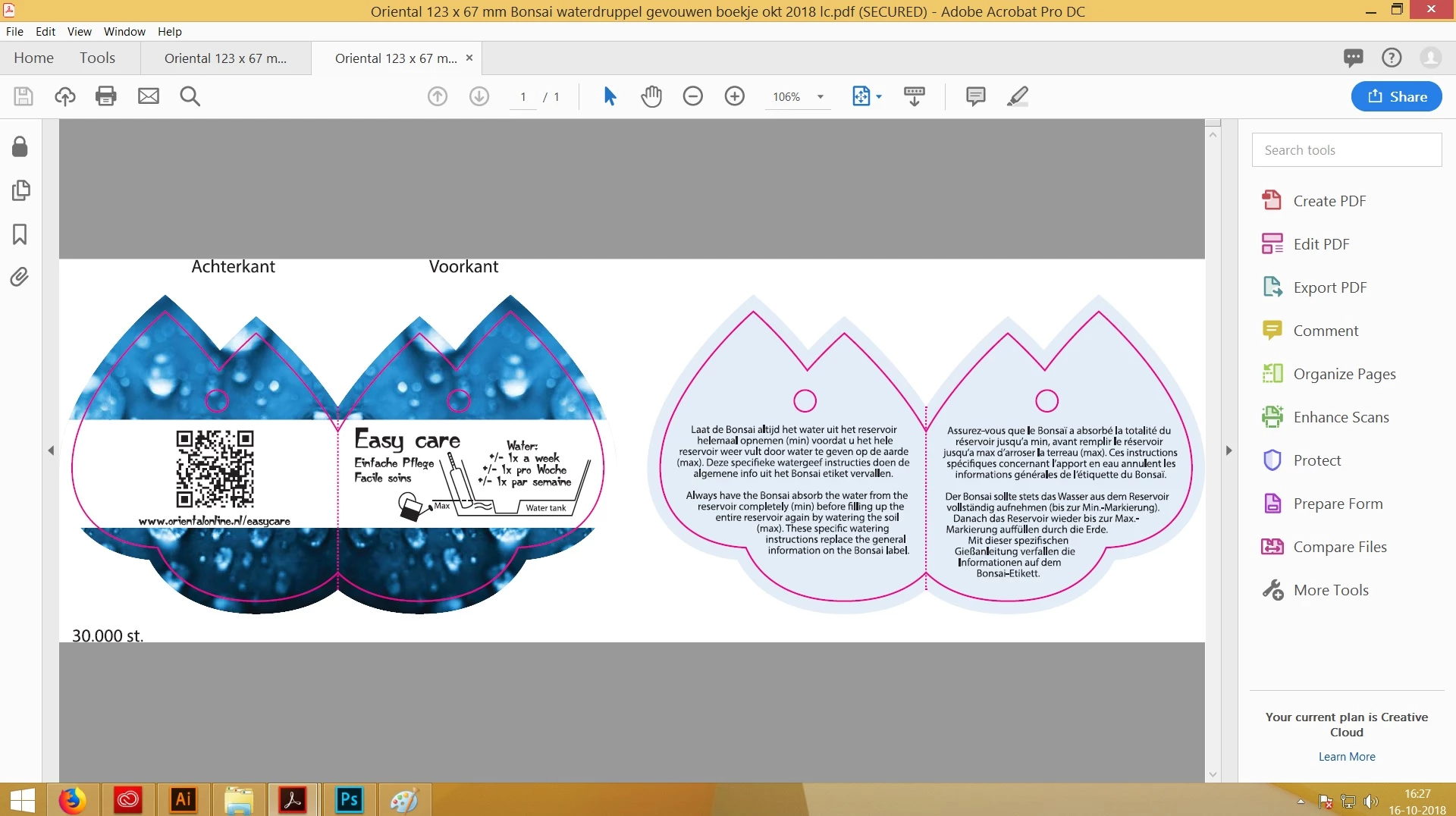
I created an EPS in Illustrator in 2 artboards. I allways click on the EPS file with right click, and then select create adobe PDF. Adobe Acrobat DC then opens and the PDF is created in 1 single pdf with no white space around it.
Now suddenly it doesnot auto rotated anymore, and the file is placed in the left under corner, filled with a lot of white space around it, or even not showing the complete artboards anymore. I have not changed anything in the settings. The only thing i installed is office365.
What can i do. It is no option for me to save the pdf in Illustrator, because the customer cannot see the difference then between one or 2 designs, because each artboard is then under each other in steath of next to each other
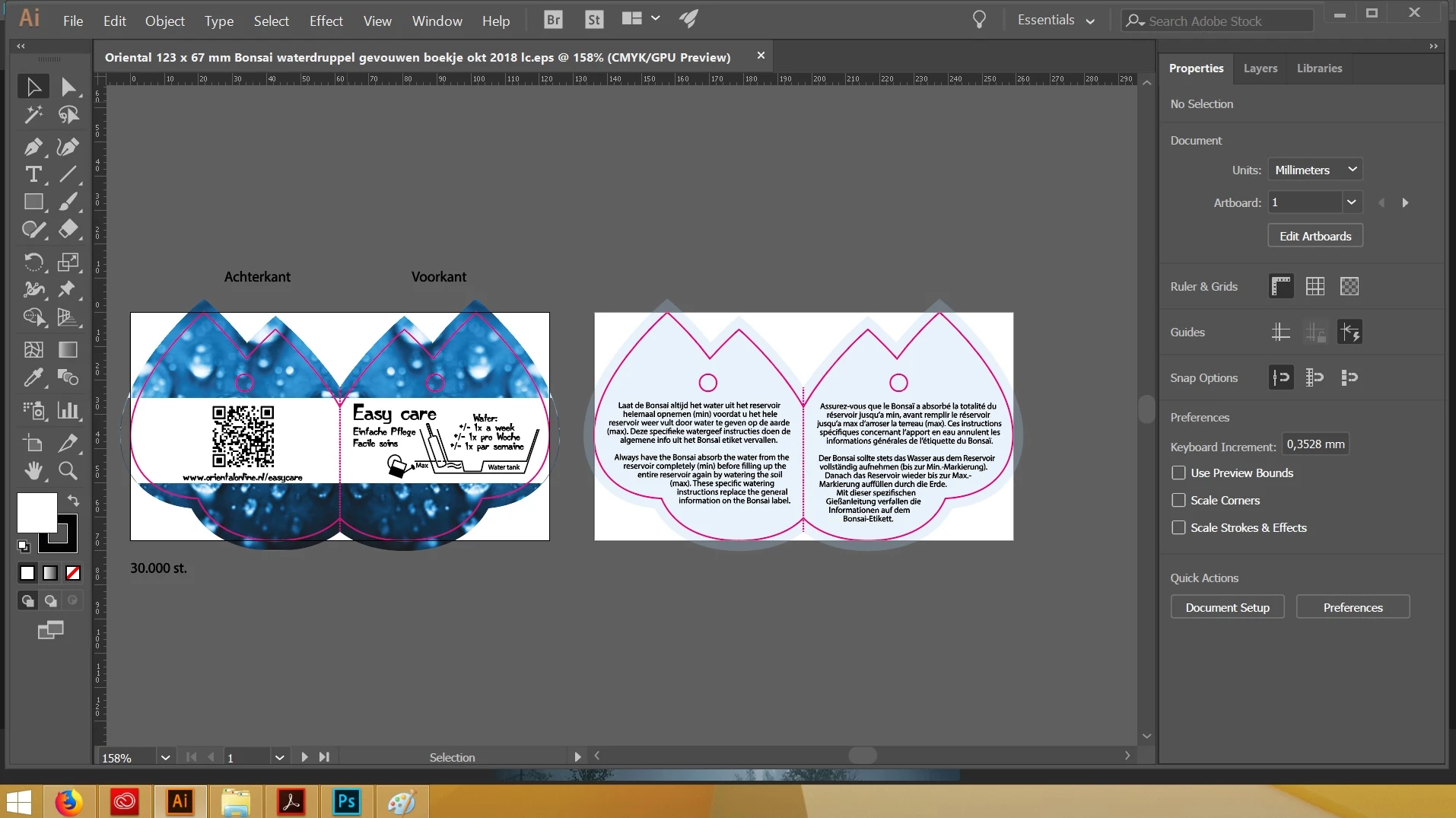
Illustrator file:
How it should be created:
Now it Adobe Acrobat does this:
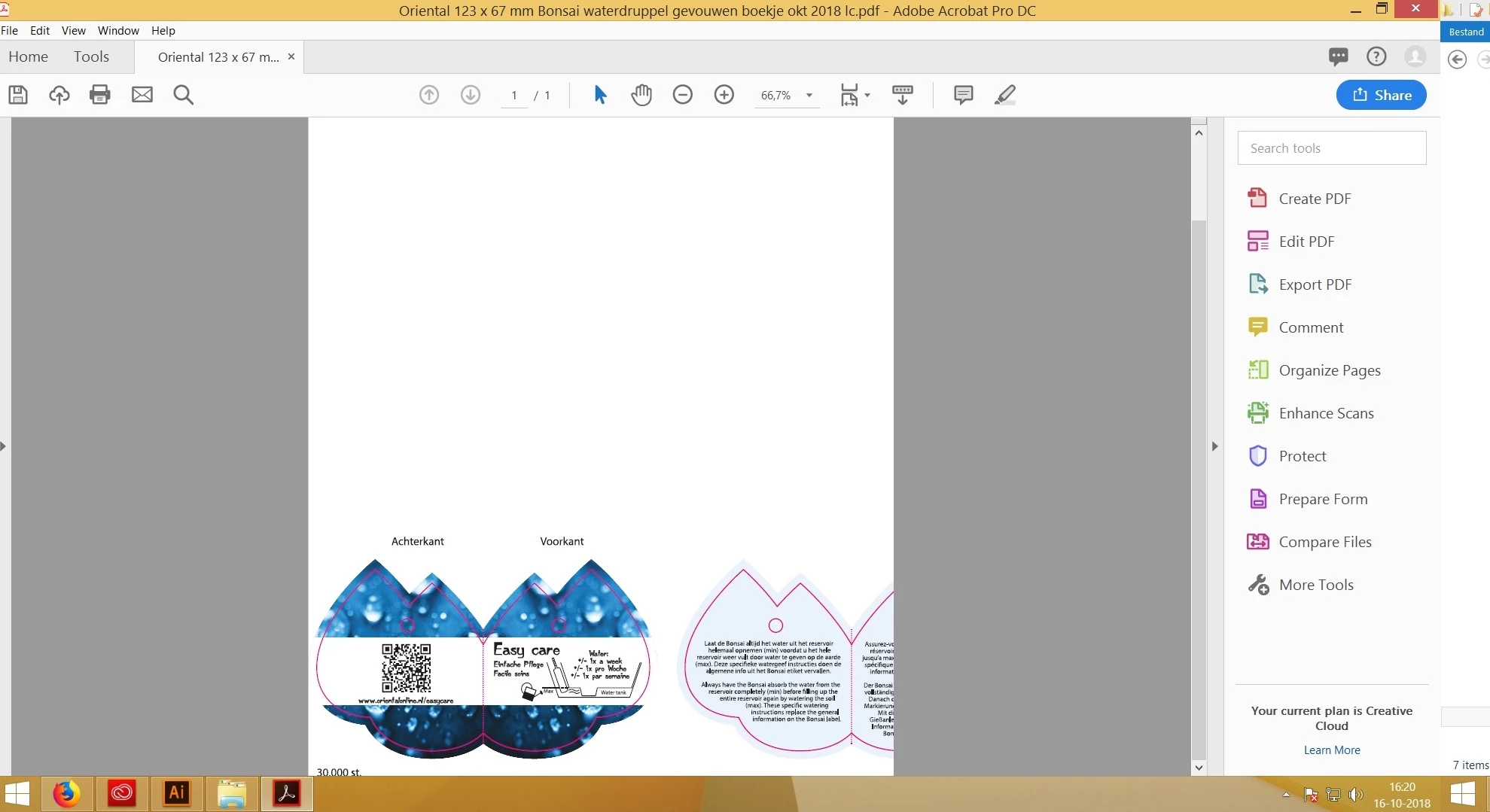
it doesn't rotate the file, it is worthless right now.
Please help and let me know what i can do.
Thank you.
Kind regards,
Will


 AdChoices