
Answered
HELP ERROR: Value Entered Does Not Match the Format of the Field (FieldB2)
I'm setting up a simple form with simple calculations.
First Row is FieldA1 ($ Number), Field A2 (Percentage) and Field A3 ($ Calculation of FieldA1 and Field A2).
Second Row is Field1, FieldB2, FieldB3 with the same calculations.
This goes on for 5 rows and all of my fields have unique names.
I am having a problem with my percentage fields. When I create a new percentage field with a unique name I get the message "VALUE ENTERED DOES NOT MATCH THE FORMAT OF THE FIELDB2 (or sometimes FIELDA1).
Also when I am testing out the form all of them seem to be tied to each other even though they all have unique names. See attached. Please HELP!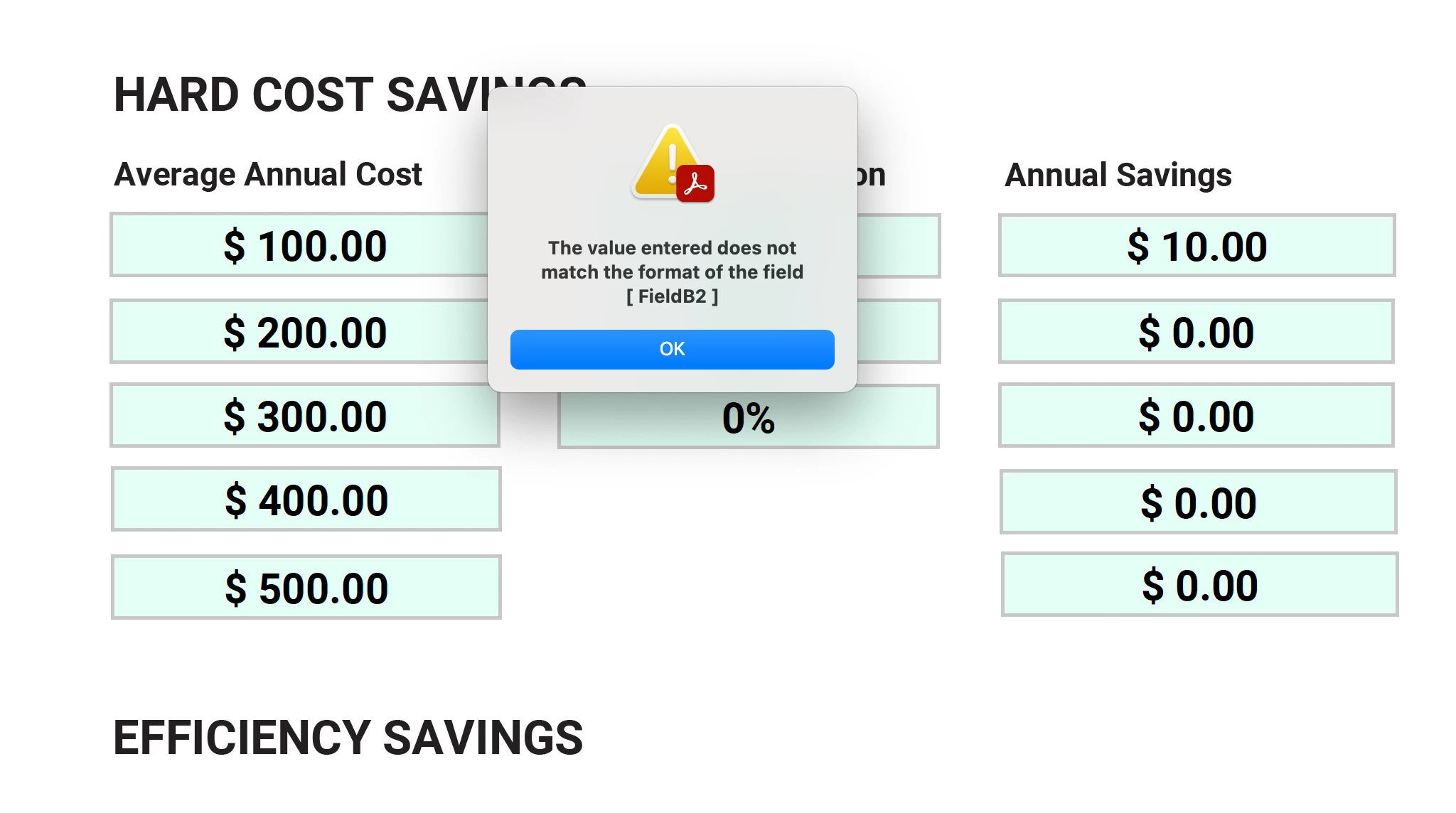
 AdChoices