


Help with Adobe and SharePoint
Hi everyone,
We’re currently trying to understand the expected behavior of the Adobe integration within SharePoint and are facing several inconsistencies.
We have SharePoint Online and several users with Adobe Acrobat Standard/Pro licenses. Our goal is to use Adobe for signing and requesting signatures directly from SharePoint.
We have configured the Syntex pay-as-you-go solution and added Adobe as the signature provider.
Issues Observed
1. Signature request flow
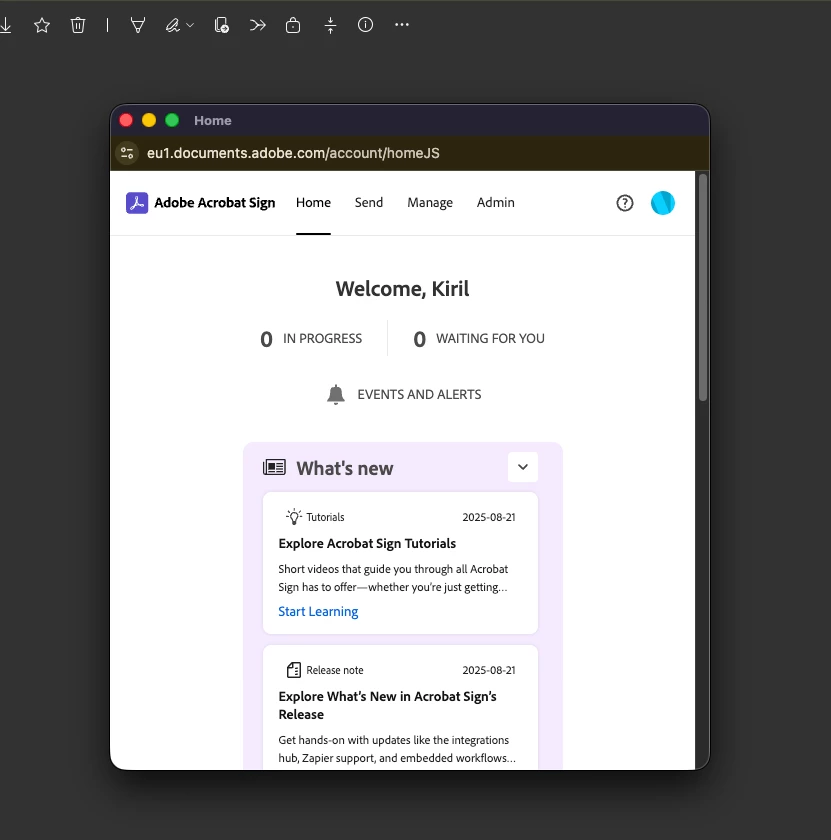
When most users attempt to request a signature, after logging in to Adobe (which is frustrating since SSO isn’t automatically invoked and credentials must be entered manually each time, even without correct password, just to invoke the SSO manually), they are redirected to the Adobe home page instead of the document signing screen.
This behavior seems random, on some browsers or computers it works, on others it doesn’t.
- Example: on my Mac, it works in Safari but not in Chrome.
- We’ve tested on Windows as well and confirmed browser settings (pop-ups, cookies, etc.) are identical.
The result: inconsistent behavior across browsers and devices, people wondering how to request signature that will automatically be stored in SharePoint after.
2. “Open in App” limitations
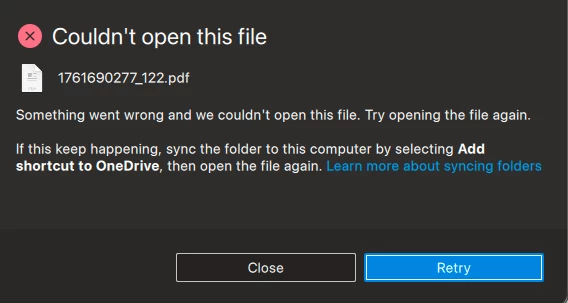
When selecting Open in App, Adobe Acrobat will not open the document for signing unless the file is synced locally (via shortcut/sync).
For this one, we have enabled this app:
https://appsource.microsoft.com/en-us/product/saas/adobeinc.adobe-document-cloud-pdf?tab=Overview
After enabling it:
Clicking a PDF in SharePoint now opens it directly in Adobe Document Cloud (documentcloud.adobe.com/spodintegration) instead of the SharePoint PDF viewer.
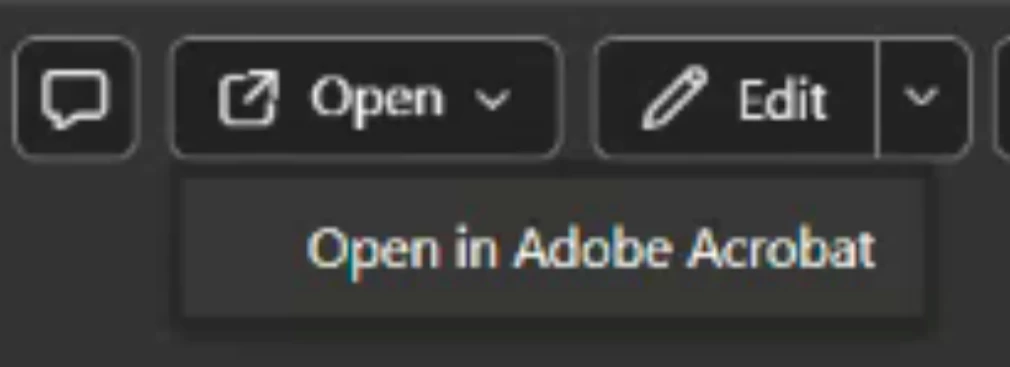
- While the new “Open in Adobe Acrobat” menu option works well (and doesn’t require file syncing), this new default behavior of opening the file in Adobe page causes two major issues:
- Users can no longer request signatures from the SharePoint interface (even though its not working properly).
- Native SharePoint features (comments, tagging, versioning, etc.) become inaccessible.
The only way to view the standard SharePoint PDF viewer now is to copy the file link and paste it directly into the browser, which is not practical and it seems hard to explain why this has changed.
We’d like to:
Keep the “Open in Adobe Acrobat” menu option active, since it works correctly
But restore the default PDF click behavior to use the native SharePoint viewer, not the Adobe integration page.

Instead of:

Thanks in advance for any advices and suggestions! It seems weird that Adobe had great working integrations with SharePoint and they were deprecated for some reason.
 AdChoices