
garyb25444038
Participant
July 13, 2018
Answered

Hi, I've had an incredibly frustrating day trying to give Adobe some of my money!

  • July 13, 2018
  • 3 replies
  • 565 views

I am trying to find confirmation of a current Adobe Acrobat reader that will give me batch print options.  I have come across various mentions of Acrobat 9 which I can't get a hold of and the the V.11 Pro version which is too expensive for what I need it for.  I would be v. much obliged if someone could confirm a current, cost effective version of Acrobat that will allow me to batch print to file and to batch print hard copies from file. 

Many, many thanks!
This topic has been closed for replies.
Correct answer Abambo

garyb25444038  wrote

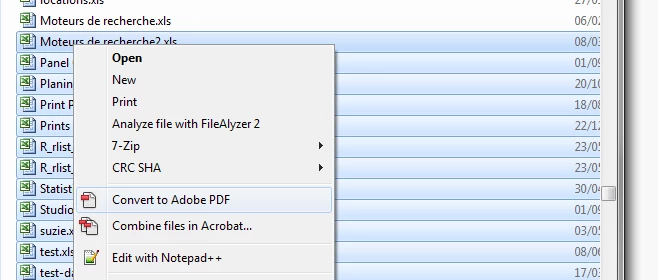
I want to be able to select multiple files from a folder on my computer and save them as pdf files without having to open them all individually. 

That can be done with Acrobat, not the reader.

You need at least Acrobat Standard.

I then want to select multiple pdf files and print hard copies without having to open them all individually.

That can be done with any Acrobat flavour. It's however not very flexible because you cannot change the printing options easily.

You find here information on the products (perpetual):

Adobe products: desktop, web, and mobile applications | Adobe

or you take a subscription to the document cloud:

Plans and pricing | Adobe Acrobat DC

3 replies

Legend
July 13, 2018

Also: All free Reader versions print to file. Sending those files to a printer is not the job of the app that makes the file.

Abambo
Community Expert
Community Expert
July 13, 2018

garyb25444038  wrote

I am trying to find confirmation of a current Adobe Acrobat reader that will give me batch print options.

Adobe Acrobat Reader is free software. However, there is nothing that I would understand as "batch print option". You could use scripting to implement batch printing via your OS.

ABAMBO | Hard- and Software Engineer | Photographer
garyb25444038
Participant
July 13, 2018

Thank you both guys, for coming back so quickly.

I want to be able to select multiple files from a folder on my computer and save them as pdf files without having to open them all individually.  I then want to select multiple pdf files and print hard copies without having to open them all individually.

The current version of Adobe on my computer is the free version supplied with it and it doesn't have the functionality.  I'm fairly sure the most expensive pro version can do it but I don't need all the bells and whistles that come with it.

Abambo
Community Expert
AbamboCommunity ExpertCorrect answer
Community Expert
July 13, 2018

garyb25444038  wrote

I want to be able to select multiple files from a folder on my computer and save them as pdf files without having to open them all individually. 

That can be done with Acrobat, not the reader.

You need at least Acrobat Standard.

I then want to select multiple pdf files and print hard copies without having to open them all individually.

That can be done with any Acrobat flavour. It's however not very flexible because you cannot change the printing options easily.

You find here information on the products (perpetual):

Adobe products: desktop, web, and mobile applications | Adobe

or you take a subscription to the document cloud:

Plans and pricing | Adobe Acrobat DC

ABAMBO | Hard- and Software Engineer | Photographer
Karl Heinz  Kremer
Community Expert
Community Expert
July 13, 2018

There is only one version of Acrobat that is currently available from Adobe, and that is the latest (DC or 2017). Adobe does not sell any older versions. You can however pick from four different configurations:

There is Acrobat Standard and Acrobat Pro, and both come in either a perpetual license (using a license key, and you can use that key as long as your version of the operating system you are using is compatible with the version of Acrobat you are running - there are no free updates to future versions of Acrobat, updates to your current version are of course included and free), and there is a subscription version, which gets updated every three months with new features.

What exactly do you want to do when you say "batch printing"?