
Energized_trainer
Known Participant
December 6, 2016
Answered

Hidden fields on print

  • December 6, 2016
  • 1 reply
  • 3106 views

I am using Adobe Acrobat RPO DC.  I am making a fillable form that will be printed onto a standard template.  I had no problem making the fillable fields, but when i delete the background - can't have it print on the paper template - iI am left with a blank page with just the fillable fields.  How do I add fields that will tell the user what to put into the fillable fields, but will not show up when the document is printed?
This topic has been closed for replies.
Correct answer try67

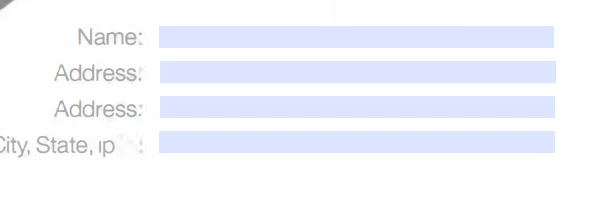
Getting closer!  When I printed, everything in the background printed.  What I need to do is  allow them to see Name, Address etc, but

When I print, I only want to see what is in the blue fields.


Ah, I see. In the Print dialog, under Comments & Forms, select "Form fields only".

1 reply

try67
Community Expert
Community Expert
December 6, 2016

You would need to use a script that sets those fields as non-printable before the file is sent to the printer.

Energized_trainer
Known Participant
December 6, 2016

I have no clue what you mean. Sorry, not a programmer, just a user

try67
Community Expert
Community Expert
December 6, 2016

I understand. The code itself is pretty simple. This is it, basically:

for (var i=0; i<this.numFields; i++) {

    var f = this.getField(this.getNthFieldName(i));

    if (f==null) continue;

    if (f.type=="button") continue;

    if (f.defaultValue==f.valueAsString) f.display = display.noPrint;

    else f.display = display.visible;

}

You need to put it under the Document Will Print event, which can be found under Tools - JavaScript - Set Document Actions.